Help › Members and fees
Membership tiers and fees
Set up the memberships people choose when they join, with a price, how often it's paid and how you collect it.
Watch it first
A short recording from the app, with the waiting cut out. The steps below go through it slowly.
Membership tiers are the options people pick when they join your club, such as Senior player, Junior season or Social. Each tier has a price, a payment schedule and a way of collecting the money. Sportdify uses the tier to raise each member's invoices.
1Check how your club collects money
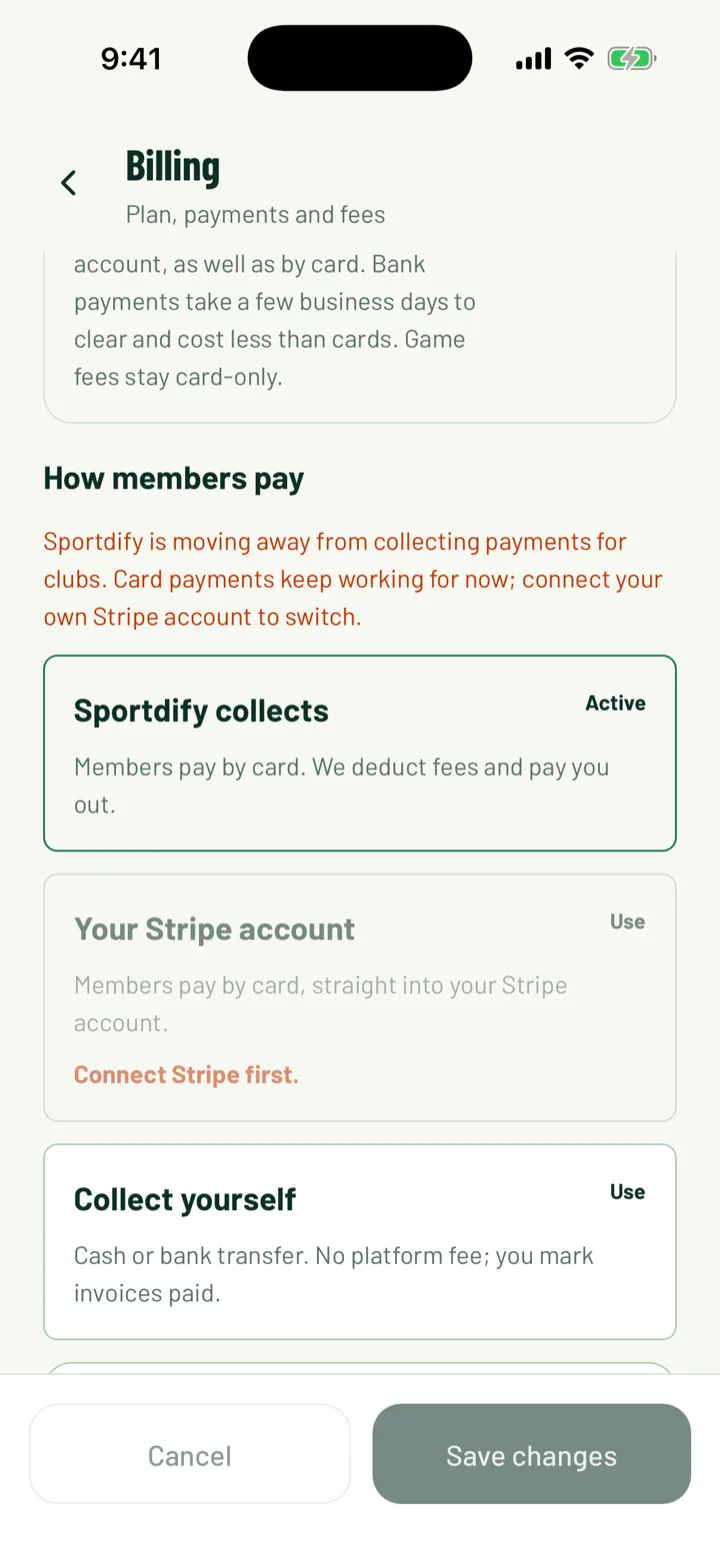
Before you price anything, decide how members will pay. This changes what you can choose on a tier.
- If your club takes card payments through its own Stripe account, a tier can be paid by card in Sportdify.
- If you collect it yourself, by cash or bank transfer, tiers are manual. Members pay you directly and you mark them paid.
- Recurring tiers, such as a monthly fee, need the Pro plan.
See Get paid with Stripe to set this up.
App: Club › Billing settings · Web: Settings › Payments
2Open your tiers
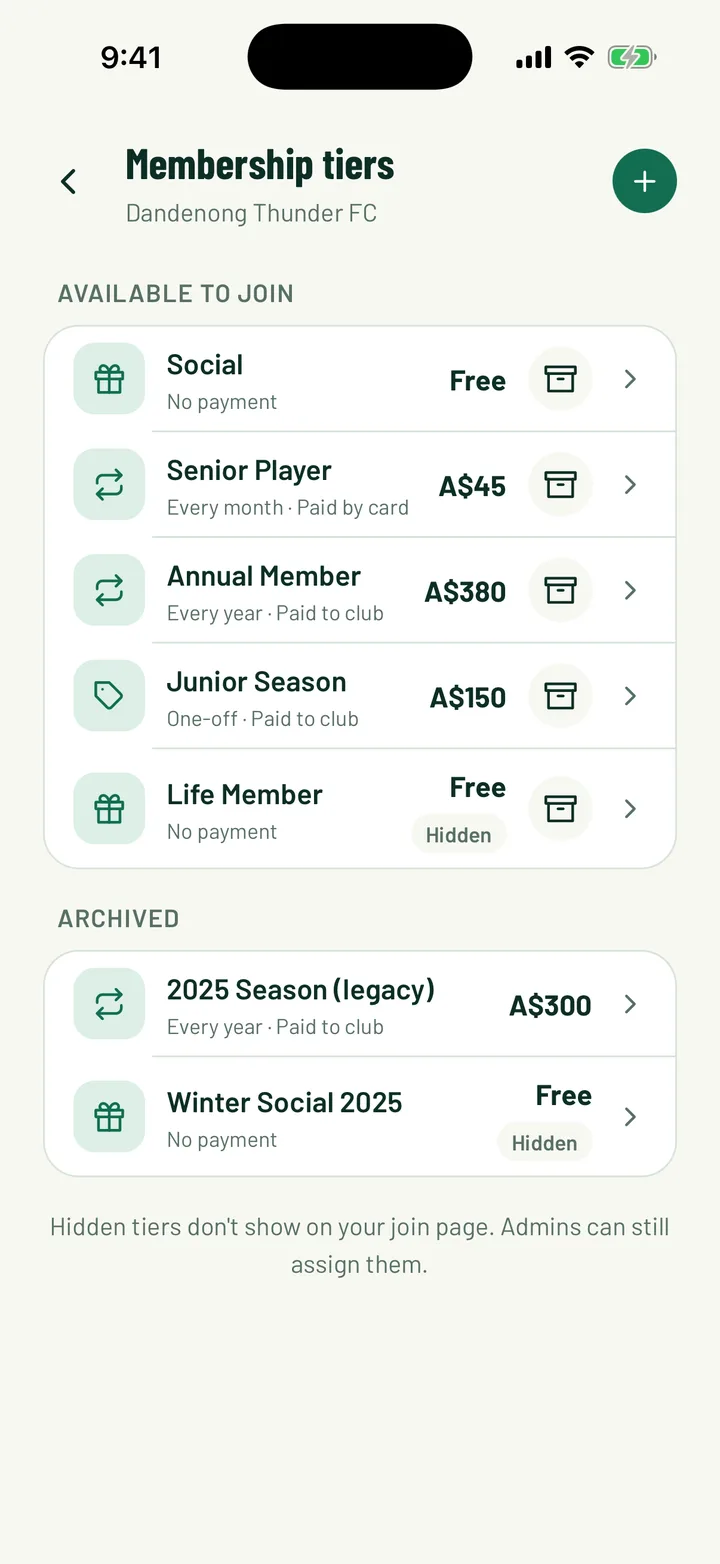
In the app, open the Club tab and tap Membership tiers. On the web, click Membership Tiers in the sidebar.
The app lists tiers under Available to join and Archived. Each one shows its price, how often it's paid, and Paid by card or Paid to club.
You need to be the club owner, an admin, or have the Registrar club role to manage tiers.
App: Club › Membership tiers · Web: Membership Tiers
3Create a tier
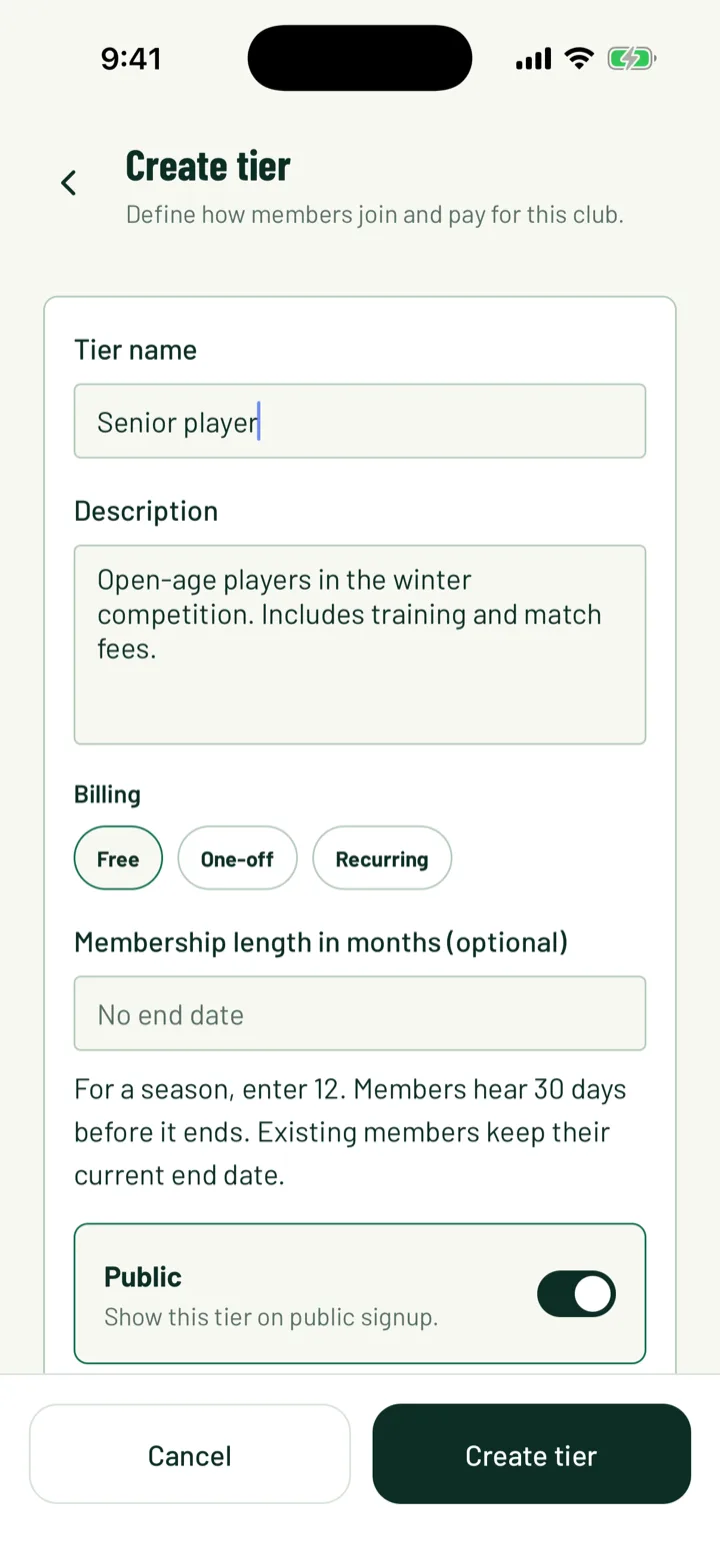
In the app, tap +. On the web, click Create tier.
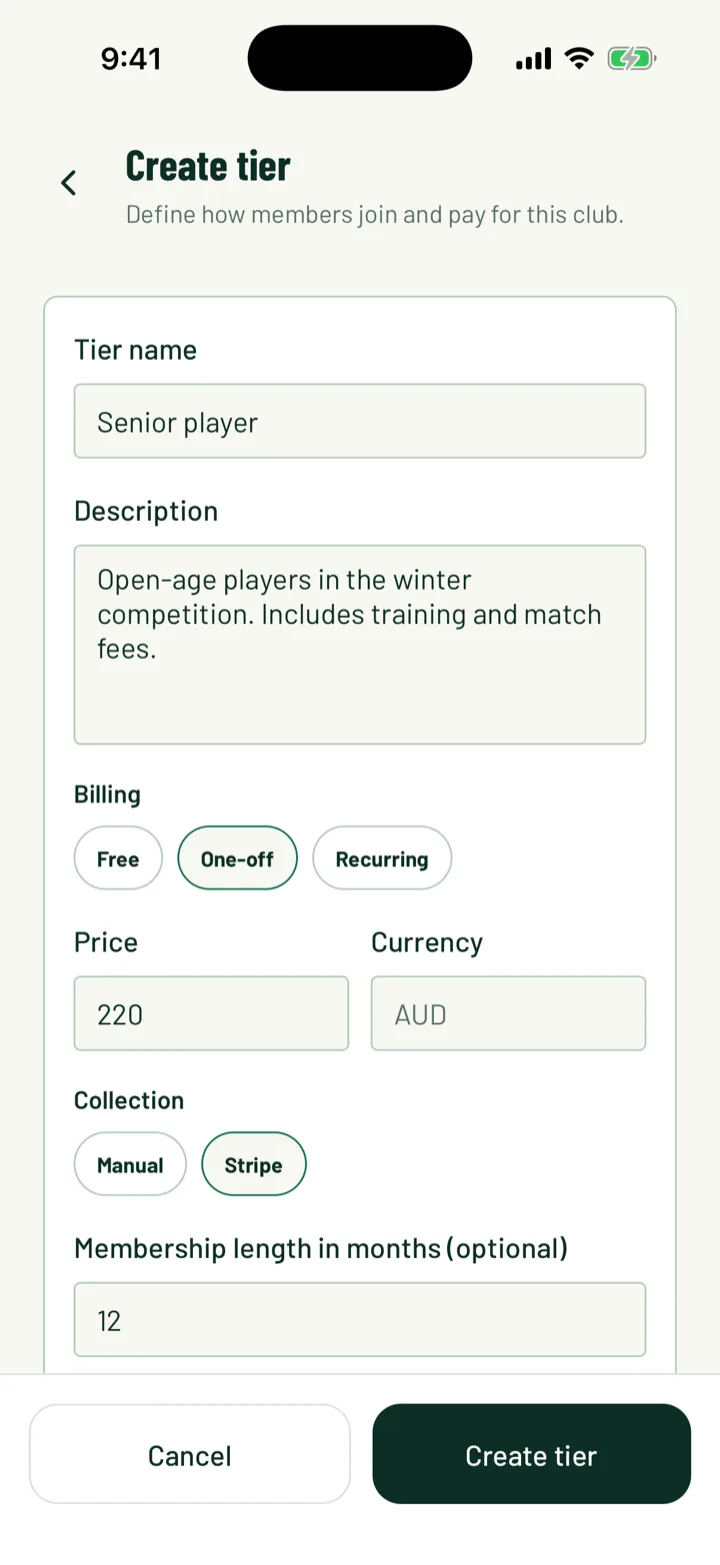
- Enter a name. The app calls it Tier name and the web calls it Name.
- Add a Description, such as who the tier is for or what's included.
- Currency is your club's default currency. You can't change it on the tier.
App: Membership tiers › + · Web: Membership Tiers › Create tier
4Set the price and how often it's paid
Choose the billing type. The app calls it Billing and the web calls it Billing type.
- Free needs no payment.
- One-off in the app, or One-time on the web, is a single payment, such as a season fee.
- Recurring repeats on a schedule.
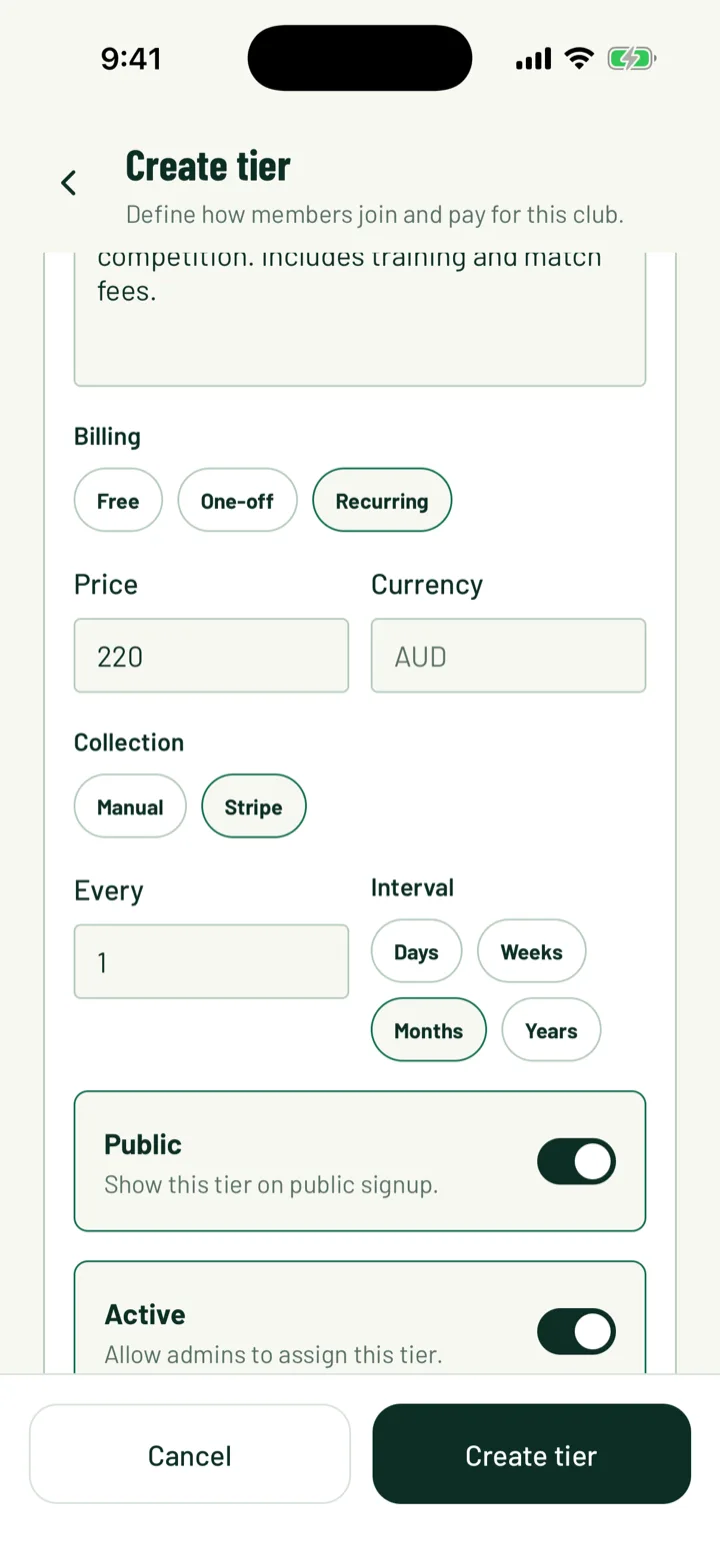
For a paid tier, enter the Price in the app, or the Amount on the web.
For a recurring tier, set how often it repeats. In the app, use Every and Interval. On the web, use Repeat every and Interval. For example, every 1 month or every 1 year.
For a free or one-off tier, you can set Membership length in months (optional). For a season, enter 12. Members hear 30 days before it ends. Leave it empty if the membership doesn't end.
5Choose how it's collected
Under Collection, pick Manual or Stripe.
- Manual means the member pays the club directly. When you approve them, Sportdify raises an invoice. You record the payment when it arrives.
- Stripe means the member pays by card in Sportdify. They pay the invoice from My invoices.
Stripe only works once your club's Stripe account can take card payments. If your club collects payments itself, Stripe isn't offered.
A recurring Manual tier raises a new invoice each period. Members hear 7 days before the next one is raised.
6Decide who can see it
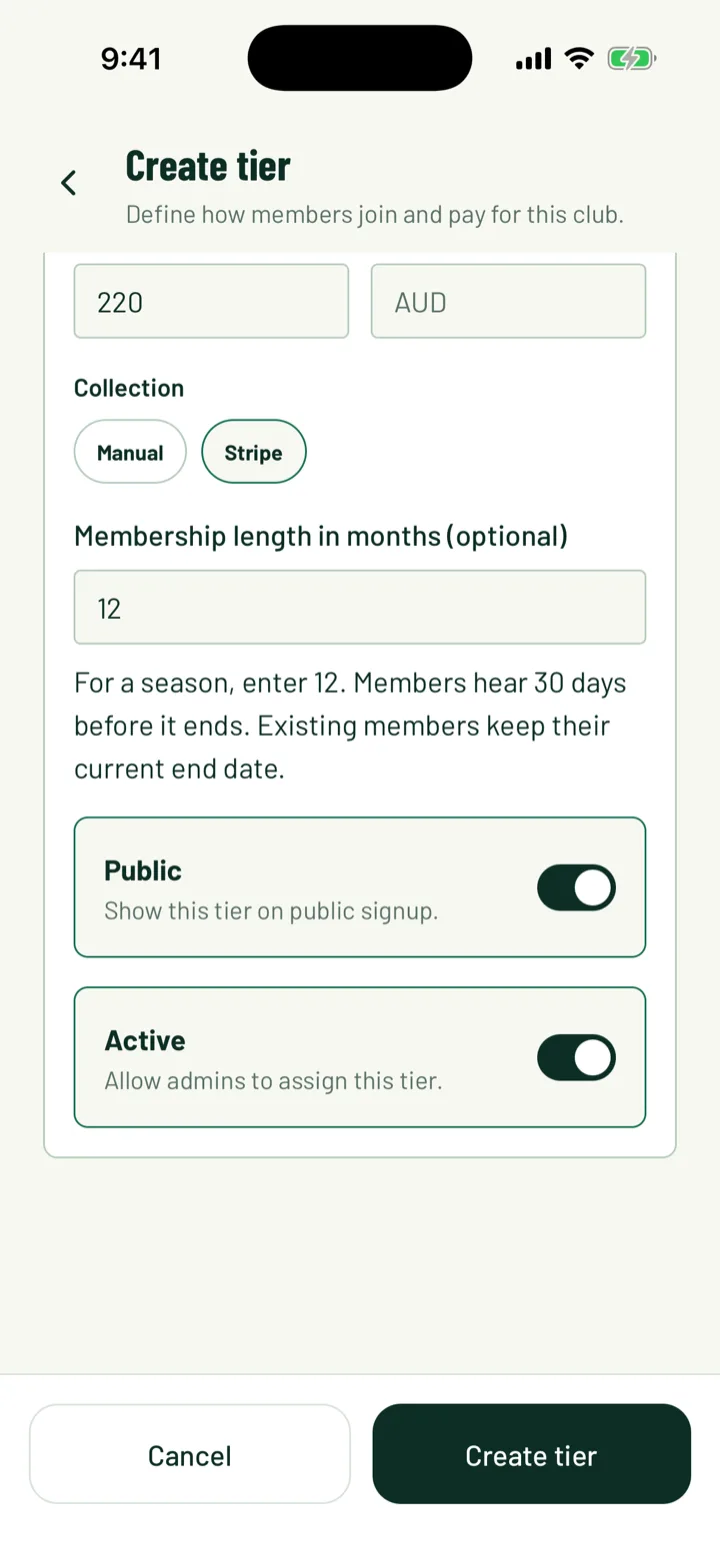
Two switches control where the tier shows up.
- Public shows the tier on your join page. Turn it off for tiers you only give out yourself, such as Life member. The app tags these tiers Hidden.
- Active lets admins assign the tier. Turn it off to stop using it.
Save with Create tier. When you edit a tier later, the button is Save changes.
7See what members choose
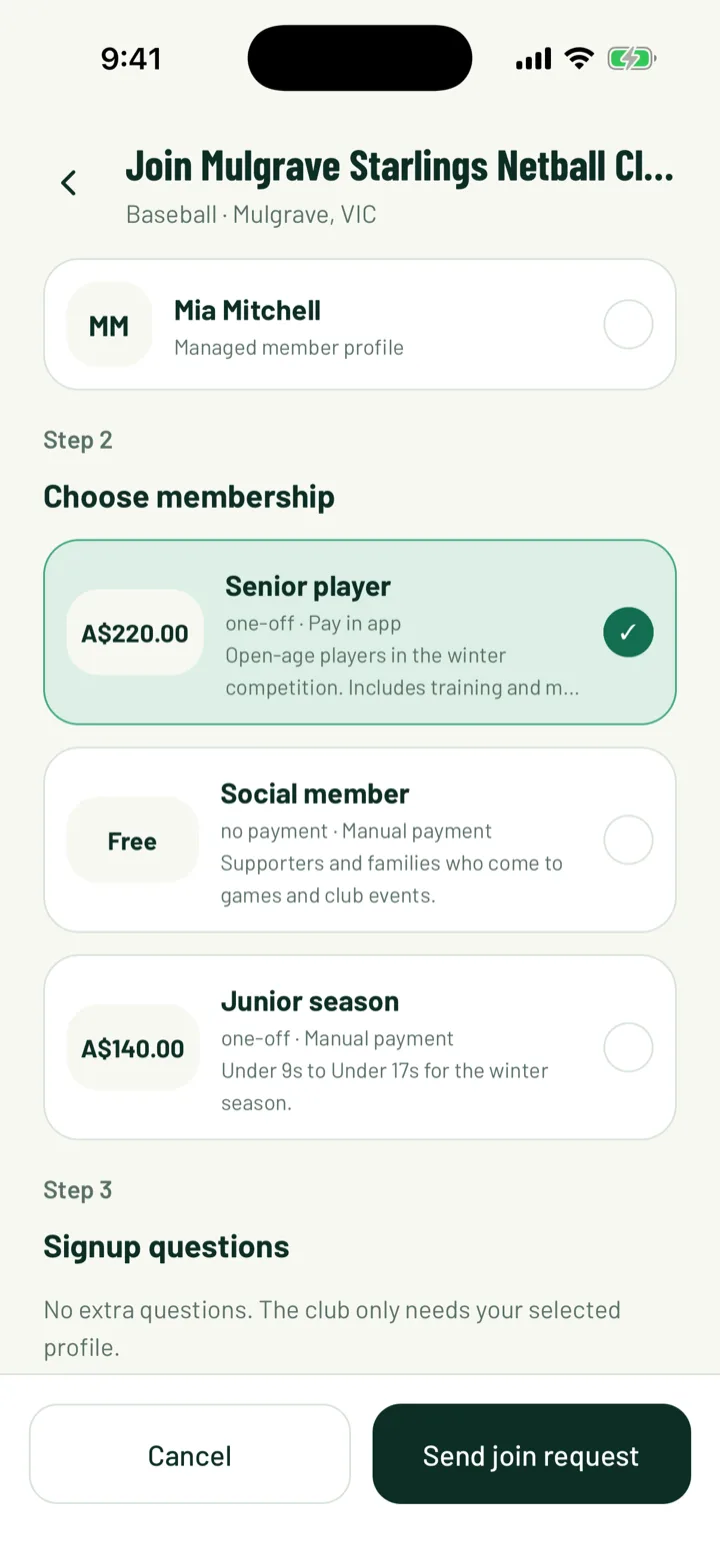
New members pick a tier when they join in the app. The join screen has a Choose membership step. Each tier shows its price, how often it's paid, and Pay in app or Manual payment.
- Only tiers that are both Public and Active show here.
- If you have any public tiers, members must choose one before they can send their request.
- On the Community plan, recurring tiers are left out.
On the web, click the arrows next to a tier to move it up or down. This sets the order tiers are listed in.
When someone joins on the website, they pick a Membership for each profile in the join form. If you have only one public tier, it's chosen for them.
8Put a member on a tier
To set or change an existing member's tier, open Members on the web. Use the member's menu, or open their page, and click Edit.
- Pick a tier under Membership tier. The list only shows active tiers.
- Click Save.
You can also choose a tier under Membership tier when you click Add Member.
Web: Members › Edit
9Edit or archive a tier
To change a tier, tap it in the app or click the pencil on the web.
Members who already joined keep the price and schedule they signed up on. Your changes apply to new members.
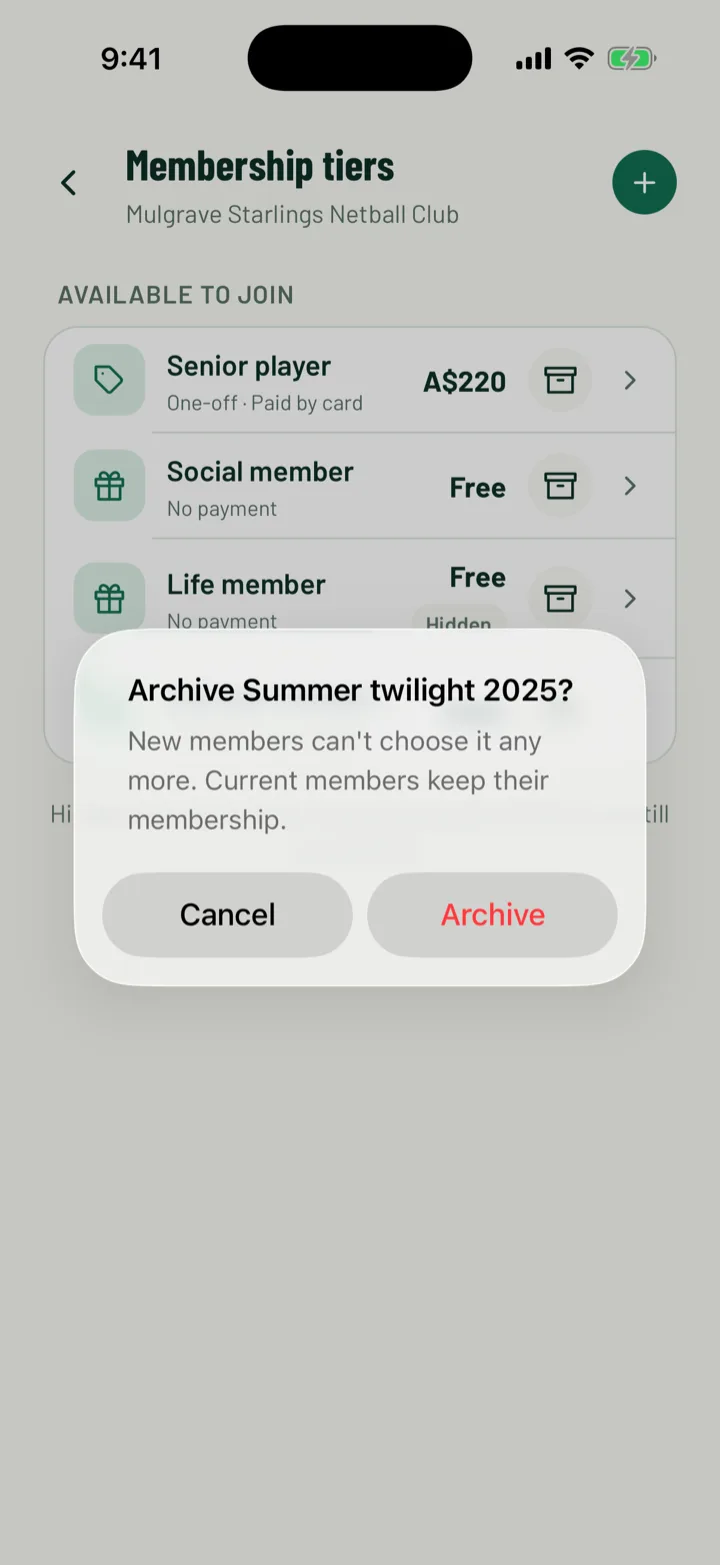
To retire a tier, tap or click the archive icon. In the app, confirm with Archive. New members can't choose it any more, and current members keep their membership.
10Renew a membership that's ending
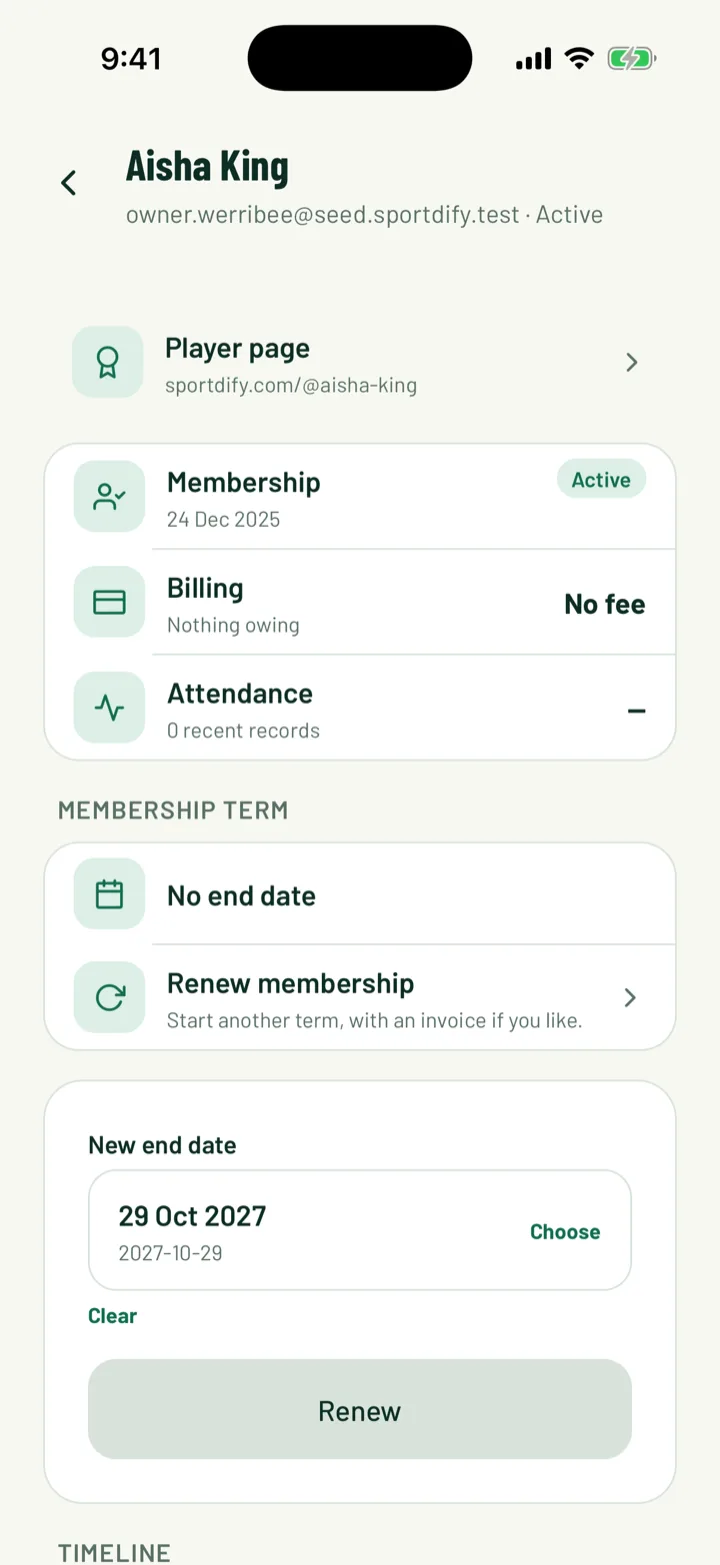
A free or one-off tier with a length ends on a set date. The member's page shows it in the Membership term card.
Click or tap Renew membership to start another term. Set the New end date, and turn on Send an invoice for the tier's price if the renewal should be invoiced. Then confirm with Renew.
Recurring members don't need renewing. Their membership renews each time an invoice is raised.
App: Club › Members › member · Web: Members › member
Still stuck?
Ask us