Help › Programs
Gradings and tryouts
Record grading days that move members up your belt scale, and run tryouts where coaches score players and you place them in teams.
Watch it first
A short recording from the app, with the waiting cut out. The steps below go through it slowly.
Gradings are for clubs whose sport awards a rank, like a belt or a weight class. Tryouts are for any club that picks teams by trialling players. You set up a tryout on the web, and coaches can score players on the web or in the app.
1Check your rank scale
Gradings show up when your club's sport is taekwondo, karate, judo, Brazilian jiu-jitsu or boxing. You also need to be able to manage members.
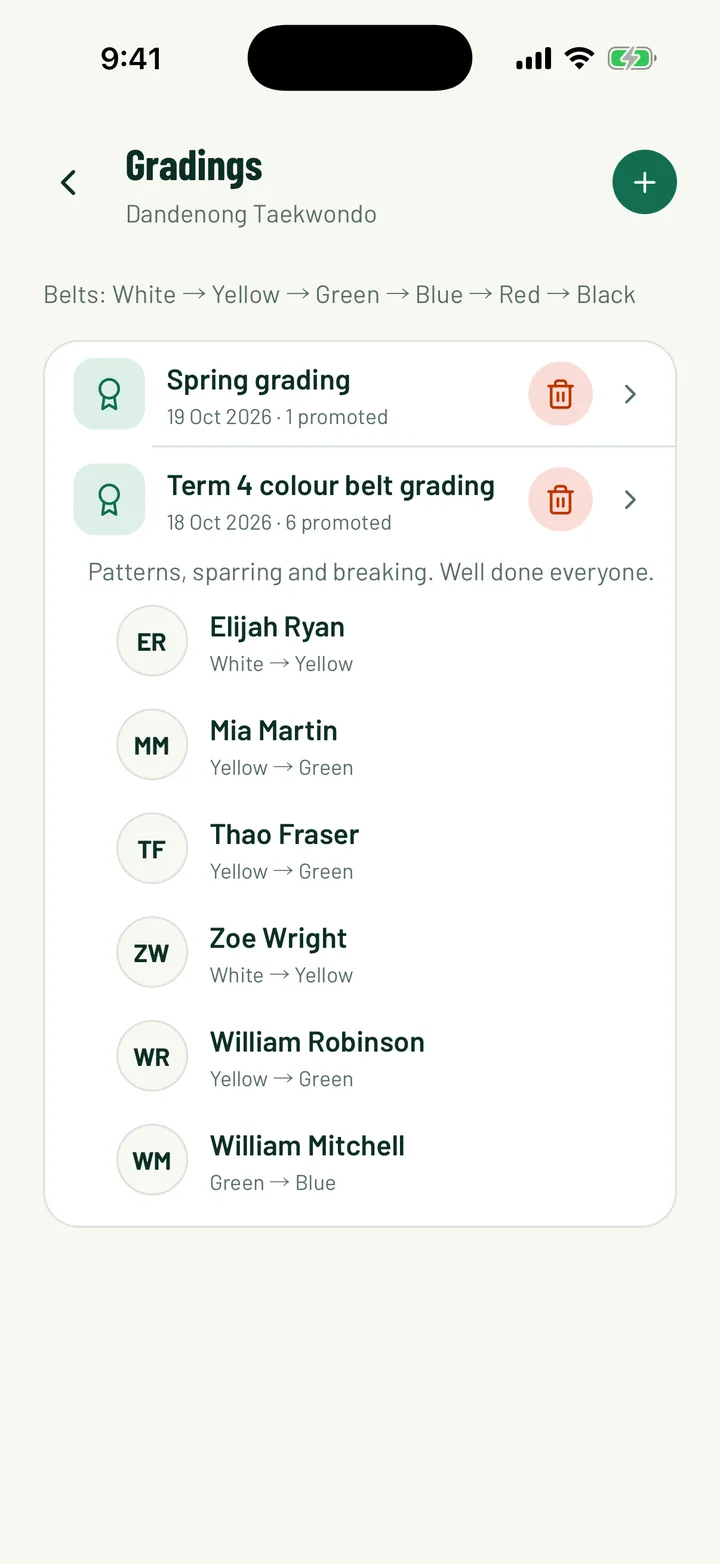
In the app, open the Club tab and tap Gradings under People. You can also tap the award icon at the top of Members. On the web, open Members and click Gradings.
The top of the page lists your scale in order, lowest first. For example: Belts: White → Yellow → Green → Blue → Red → Black. The scale comes from your sport, so you don't need to set it up.
App: Club › Gradings · Web: Members › Gradings
2Record a grading day
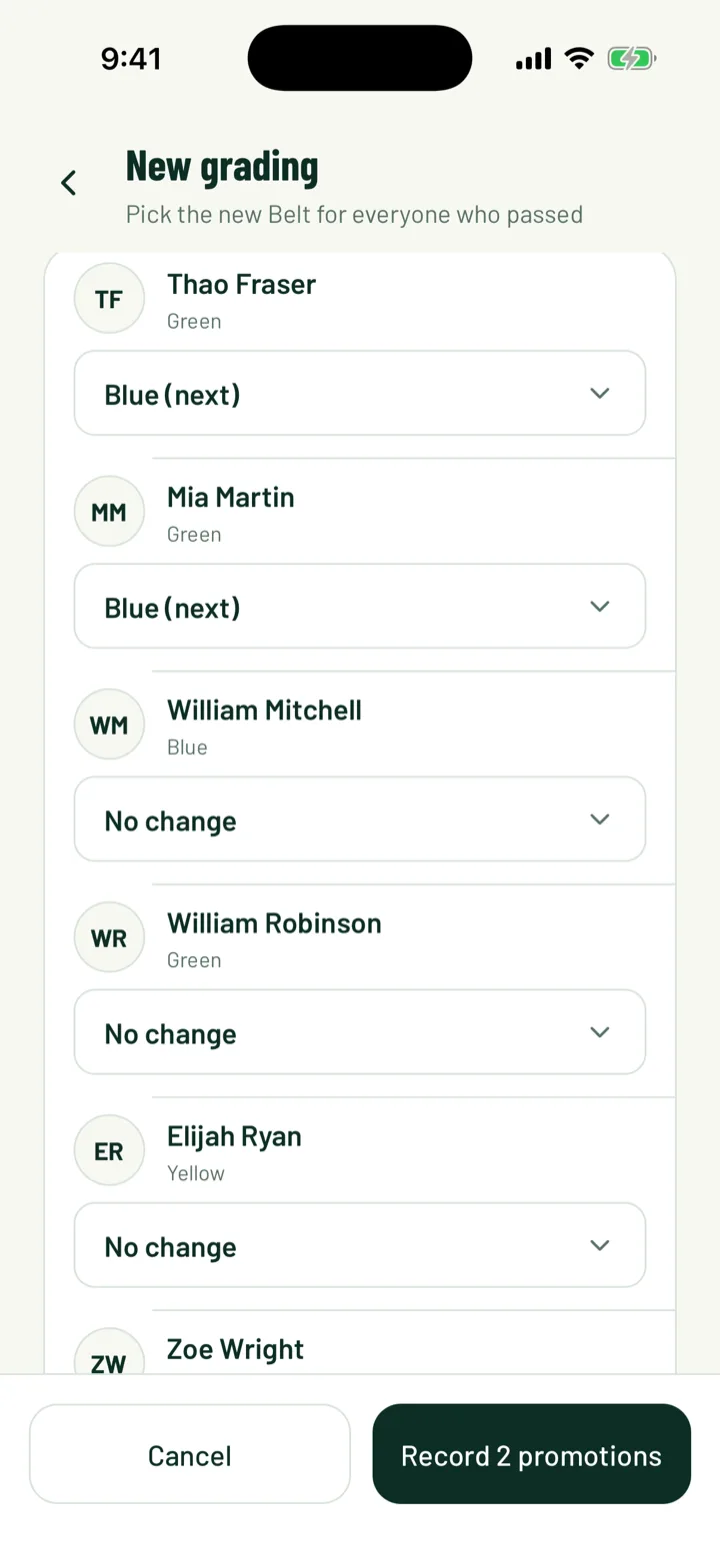
In the app, tap +. On the web, click New grading.
- Enter a Title, like Spring grading, and the Date.
- Add Notes (optional), such as what was tested.
- Under Members, search for each person who passed and pick their new rank. Sportdify marks the next rank up with (next).
- Leave everyone else on No change. They aren't part of this grading.
Then tap or click the save button. It counts the promotions, such as Record 6 promotions.
Each member's new rank shows on the members list and on their profile.
App: Club › Gradings › + · Web: Members › Gradings › New grading
3Set someone's rank directly
Use this for a new member who joins with a belt from another club. Grading days still go under Gradings.
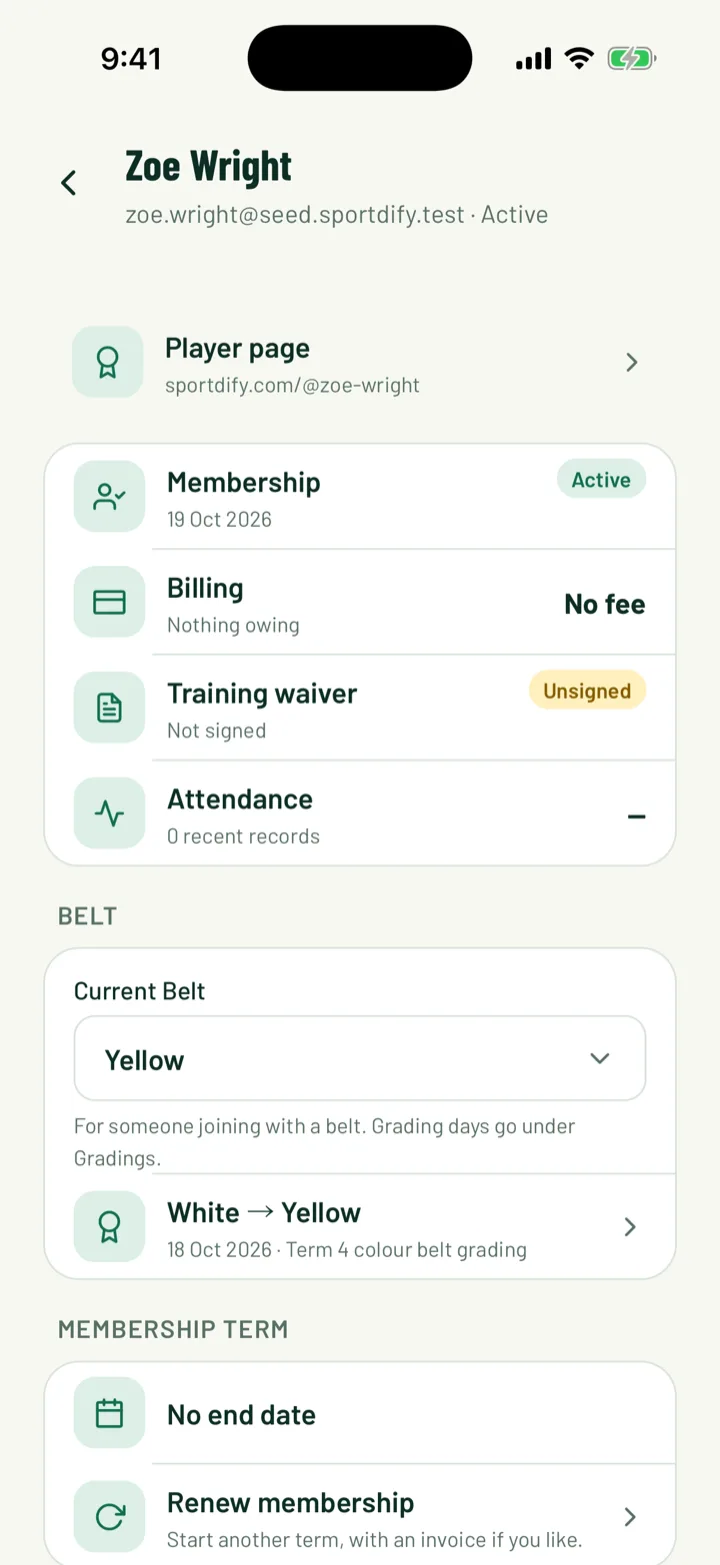
Open the member and find the card named after your scale, such as Belt. In the app, pick their rank in the Current field, such as Current Belt. On the web, pick it from the menu on the card.
The change saves straight away. The card also lists each past rank change, with the grading it came from.
App: Club › Members › member · Web: Members › member
4Fix a mistake
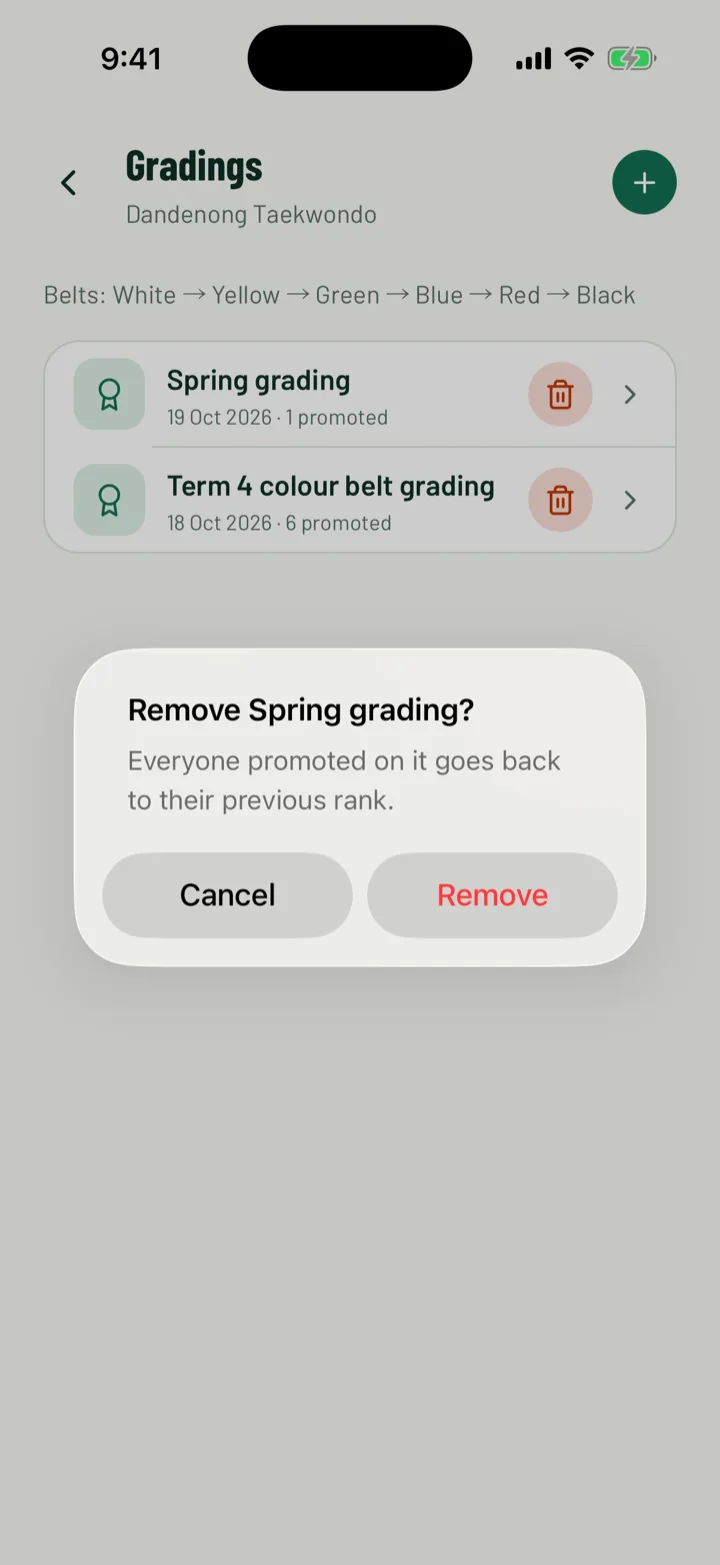
To undo a whole grading, tap the bin next to it in the app and confirm with Remove. On the web, click the bin on the grading's row and confirm.
Everyone promoted on it goes back to their previous rank.
App: Club › Gradings · Web: Members › Gradings
5What members see
Members open the Club tab and tap My belts. They see the current rank for each of their profiles, and the date they got it. Before their first grading, it reads No rank yet.
If something looks wrong, they need to ask the club. Members can't change their own rank.
App: Club › My belts
6Create a tryout
Tryouts are set up on the web. Open Teams, click Tryouts, then New tryout.
- Enter a Name, like Under 12s tryouts.
- Set When, the Age group and Where.
- Under What coaches score, list what you're looking for, separated by commas. Up to 8. The starting list is Ball skills, Game sense, Fitness and Attitude.
Click Create tryout. The tryout's page opens.
Web: Teams › Tryouts › New tryout
7Add players
Click Add players, search your club's members and tick each one. Then click the add button, such as Add 3 players. Each player gets a bib number.
To let players sign themselves up, use the Registration card on the tryout's page:
- Turn on Enabled.
- Add a Title and Description, and set a Capacity and Deadline if you need them.
- Add an Entry fee if you charge one, and choose how it's collected under Collection.
- Turn on Require organiser approval to check each sign-up first.
- Add any Questions, then click Save registration.
Share the link to the tryout's public page. Players click Sign up for the tryout. Under Submissions, use Approve, Confirm or Reject. Each confirmed sign-up joins the player list with the next bib number.
Web: Teams › Tryouts › tryout › Add players
8Score players
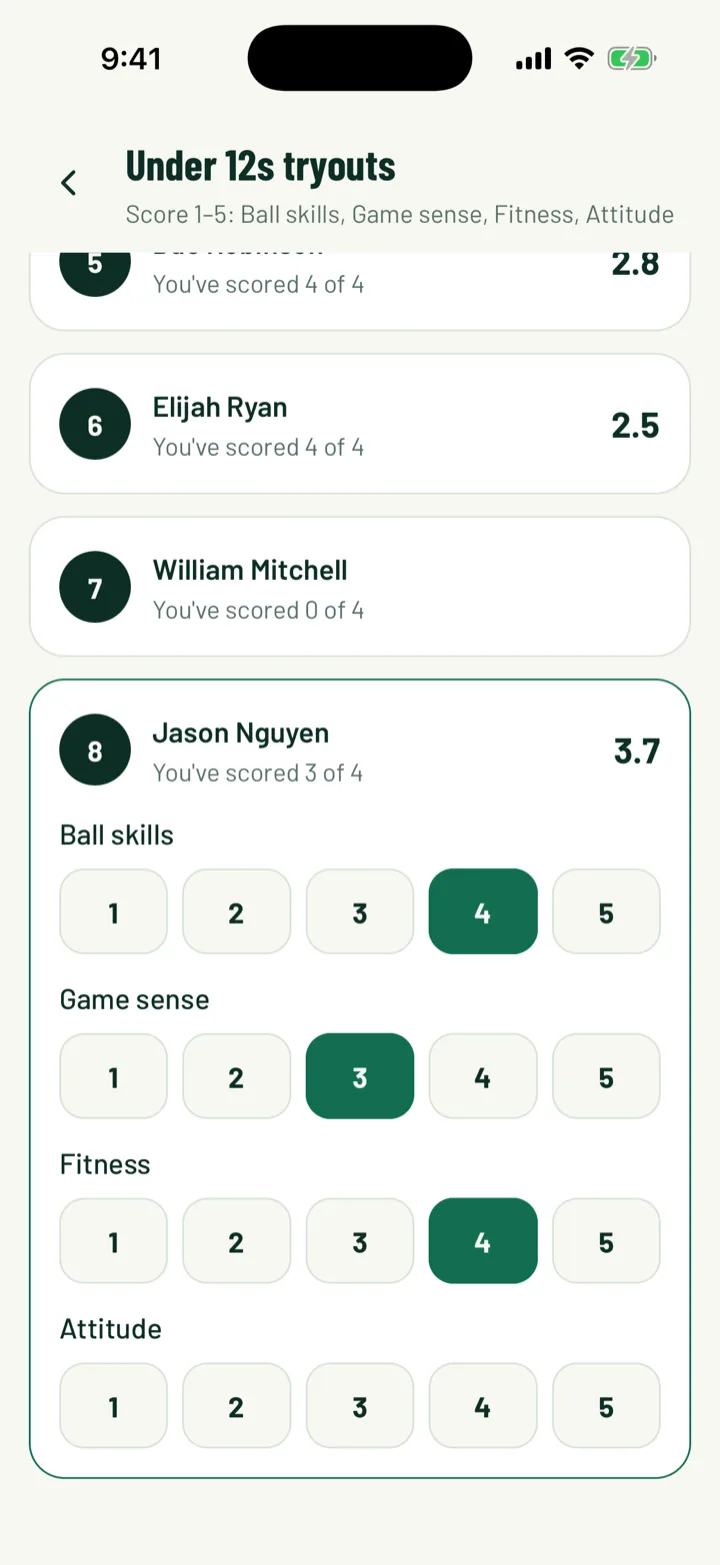
Scores go from 1 (needs work) to 5 (excellent) for each thing you listed.
- In the app, open the menu and tap Tryouts, then the tryout. Players are listed by bib number. Tap a player, then tap a score for each one. Tap the same number again to clear it.
- On the web, click Score on the player's row.
Scores save as you tap. Each coach scores on their own, and the results table shows the average. Players are ranked best first, with an Overall score. In the app, each player shows how many you've scored, like You've scored 2 of 4.
Club admins who manage teams can open Tryouts in the app, and so can team coaches.
App: Menu › Tryouts › tryout · Web: Teams › Tryouts › tryout › Score
9Place players in teams
When scoring is done, tick the players for a team. Click Choose a team, pick it, then click Place in team.
The players join that team as players. The Team column shows where each player went. Repeat for each team.
Web: Teams › Tryouts › tryout
Still stuck?
Ask us