Help › Club and venues
Run your volunteer roster
Set up game-day jobs like canteen and timekeeping, put slots on home games, let members sign up and keep track of your staff.
Watch it first
A short recording from the app, with the waiting cut out. The steps below go through it slowly.
The volunteer roster fills your game-day jobs: canteen, gate, BBQ, first aid, timekeeping and more. You set up the jobs once, slots appear on your home games, and members take them from the app or the web. Sportdify reminds them the day before.
1Open the roster
In the app, open the Club tab and tap Volunteers under People. On the web, click Volunteers in the sidebar. Owners, admins and anyone with the Volunteer coordinator club role can manage it.
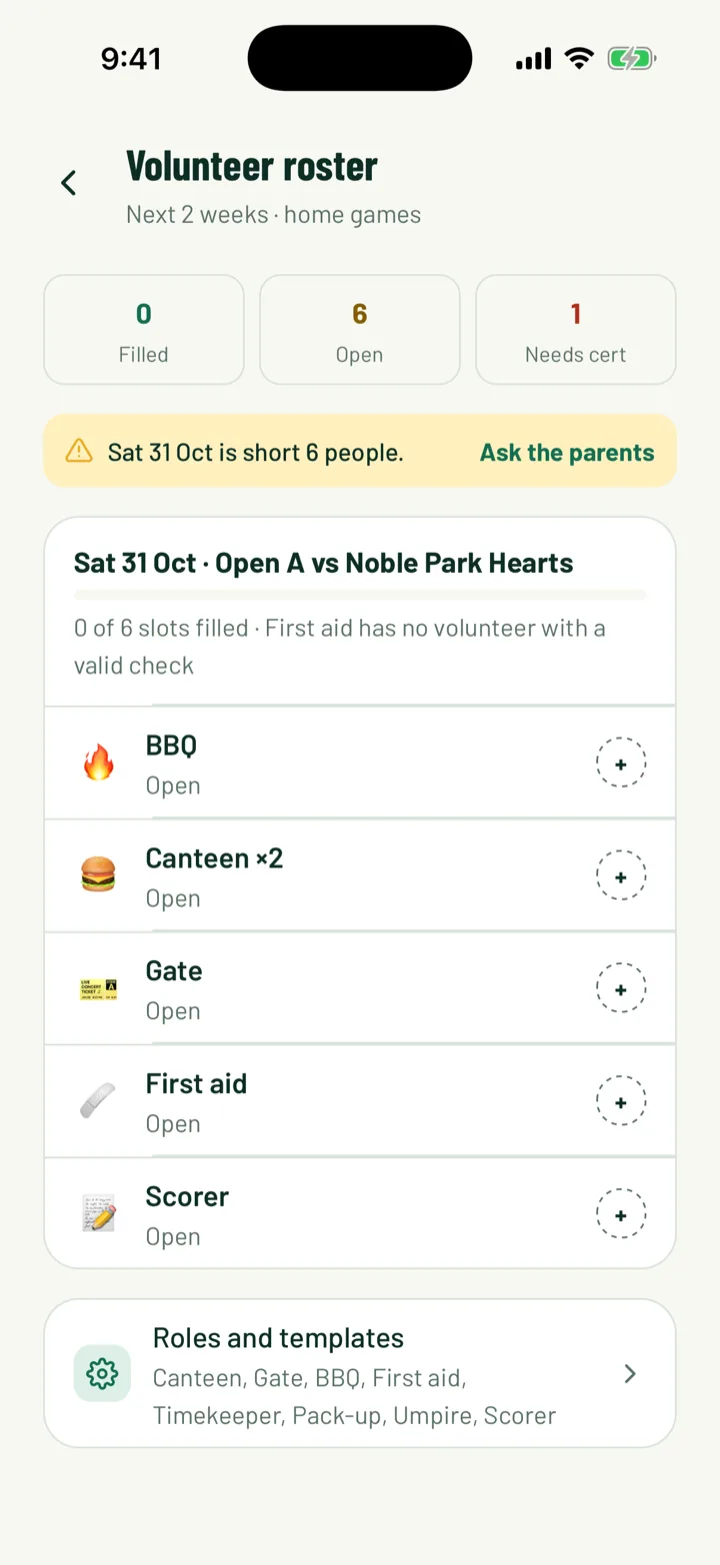
The Volunteer roster lists your home games with their slots. The top shows how many slots are Filled, Open and Needs cert.
The app shows the next 2 weeks. On the web, the Roster tab lets you pick Next week, Next 2 weeks, Next 4 weeks or Next 2 months.
App: Club › Volunteers · Web: Volunteers
2Set up your roles
A role is one job and its shift. Your club starts with Canteen, Gate, BBQ, First aid, Timekeeper, Pack-up and Referee. For sports like netball, footy and cricket, the official is called Umpire.
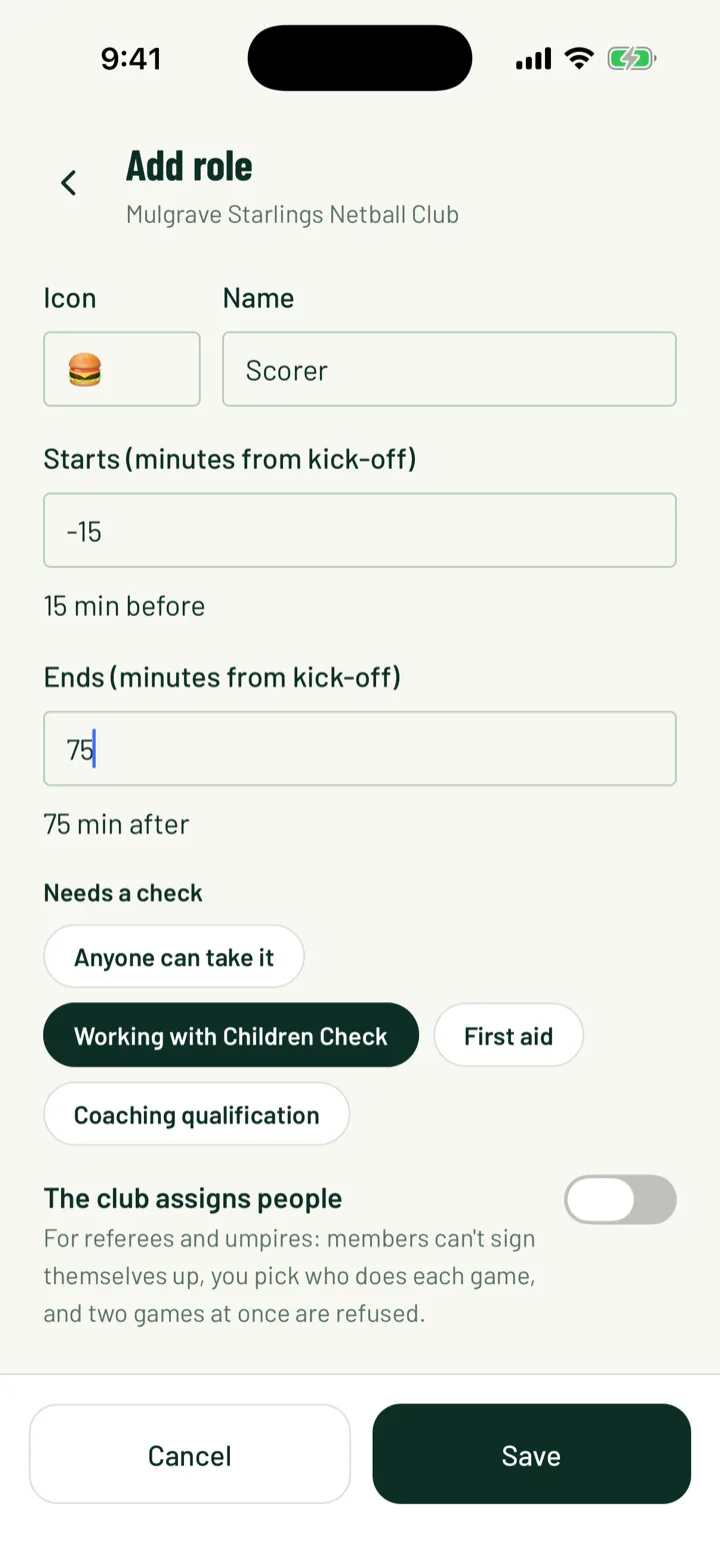
To add one, tap Add role in the app, or click Add role on the web.
- Pick an Icon, such as 🍔, and a Name.
- Set Starts (minutes from kick-off) and Ends (minutes from kick-off). Use a minus for before kick-off, so -30 starts half an hour early.
- Under Needs a check, choose a check, like first aid, or Anyone can take it.
- Turn on The club assigns people for referees and umpires. Members can't sign up for it themselves, and you choose who does each game.
App: Club › Volunteers › Roles and templates · Web: Volunteers › Roles and templates
3Make a template
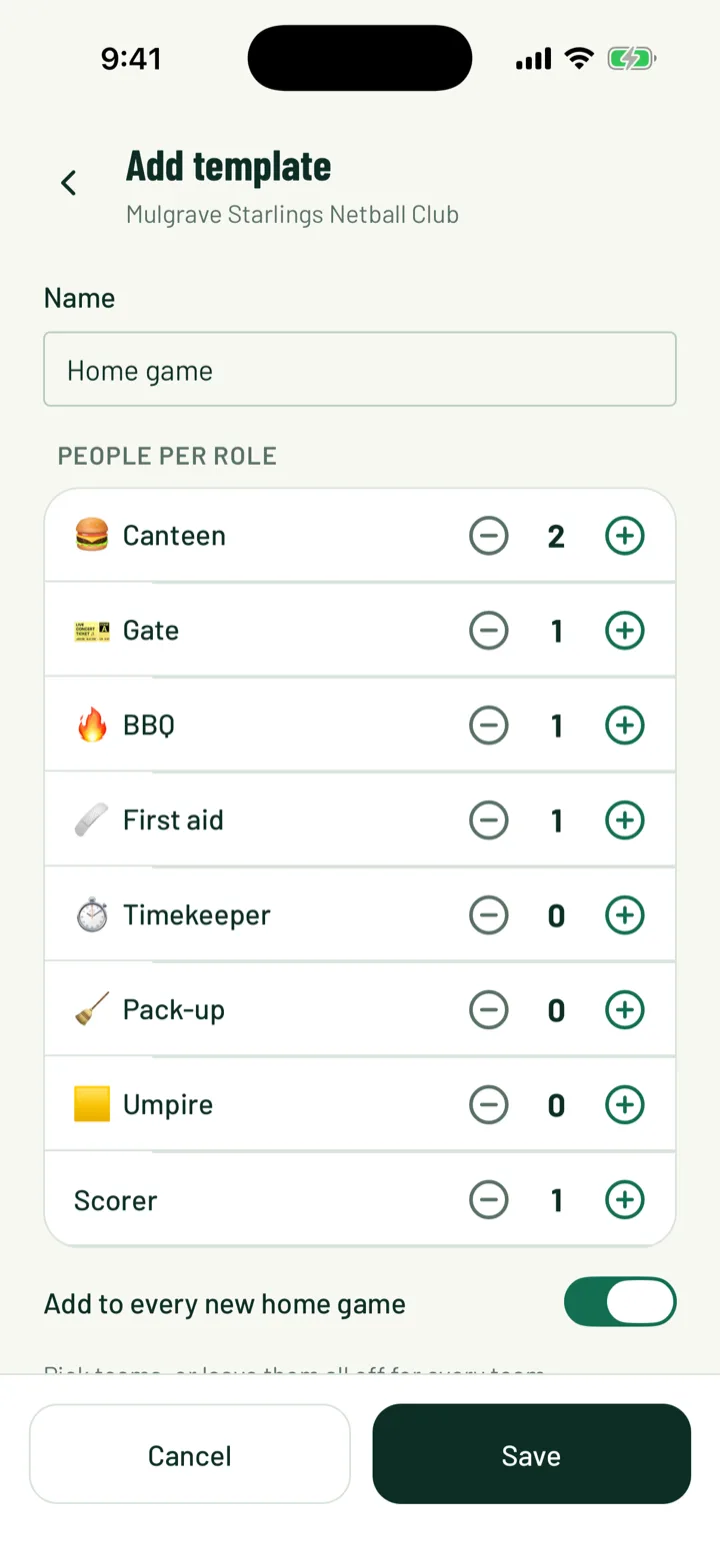
A template is a set of roles with how many people each needs. For example, 2 for canteen, 1 for gate and 1 for first aid.
- Give it a Name. It starts as Home game.
- Under People per role, set a number for each role.
- Turn on Add to every new home game and new home games get these slots on their own. Pick teams, or leave them all off for every team.
Save with Save.
App: Roles and templates › Add template · Web: Roles and templates › Add template
4Put slots on a game
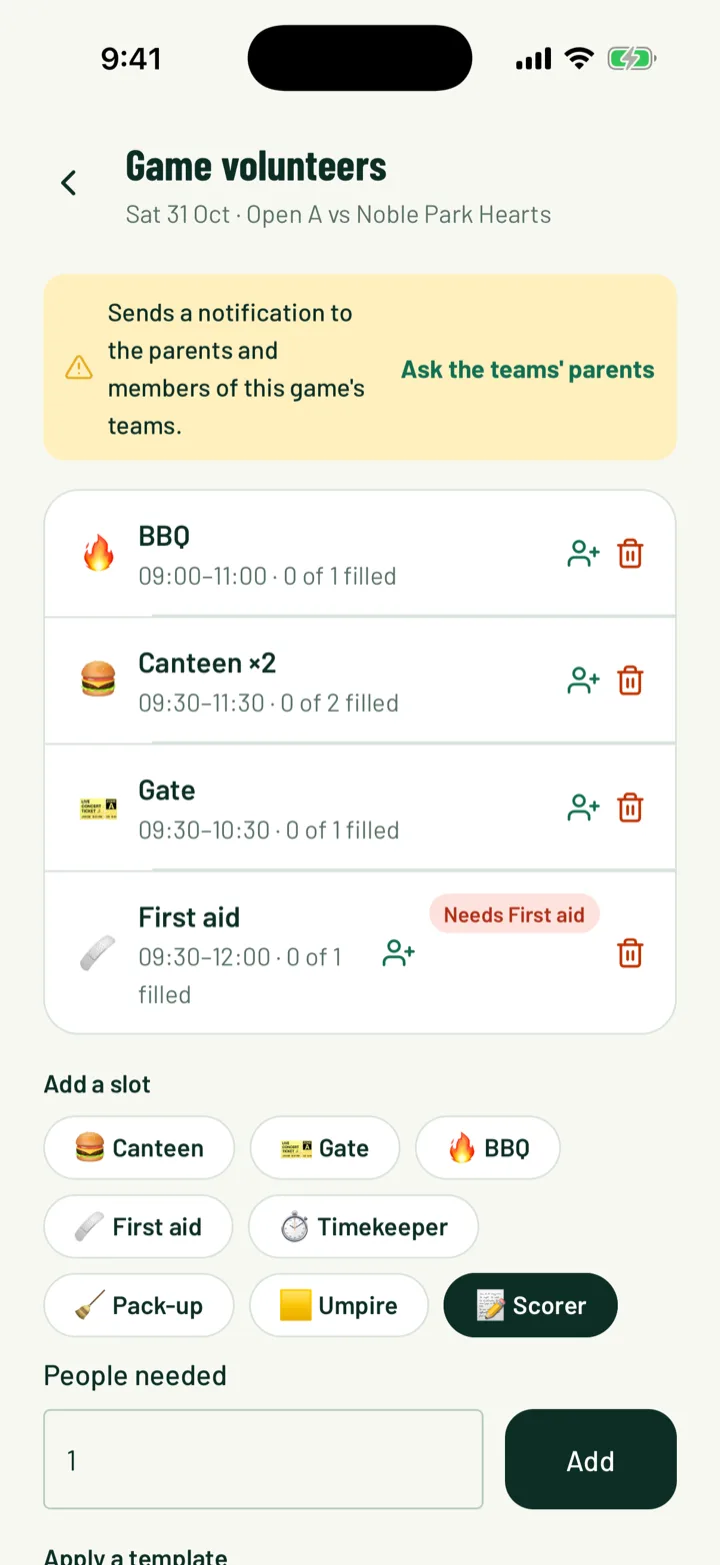
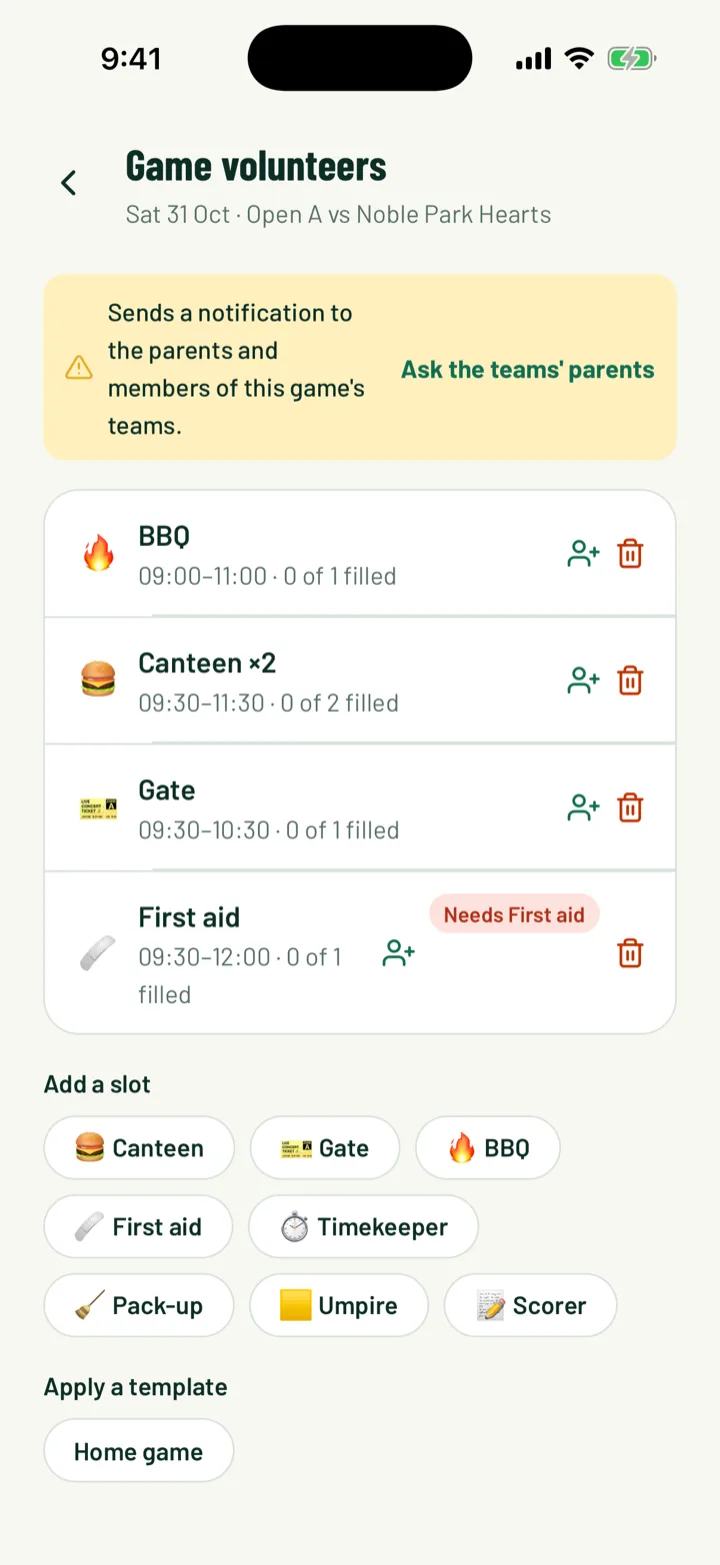
Templates fill new games for you. To change one game, open it from the roster. In the app you can also open the game and tap Manage volunteers.
- In the app, tap Apply a template, or add one role under Add a slot. Set People needed and tap Add.
- On the web, use Add a role… with a number, then Add slot. Or pick from Apply a template… and click Apply.
- Remove a slot, or take one person off it, with its remove button.
For roles the club assigns, tap or click Assign and search for a member. You'll see a warning if their check is missing or expired, or if they're already on another job then.
App: Volunteers › game · Web: Volunteers › Roster
5Ask for help when you're short
When a game still has open slots, the roster shows an alert with how many people it's short.
- In the app, tap Ask the parents on the alert. On the game's volunteer screen, it's Ask the teams' parents.
- On the web, click Ask the teams' parents on the alert.
This sends a notification to the parents and members of that game's teams. You can't send another straight away for the same game.
6Members take a slot
Club members and parents of junior members can volunteer.
In the app, members find slots in a few places:
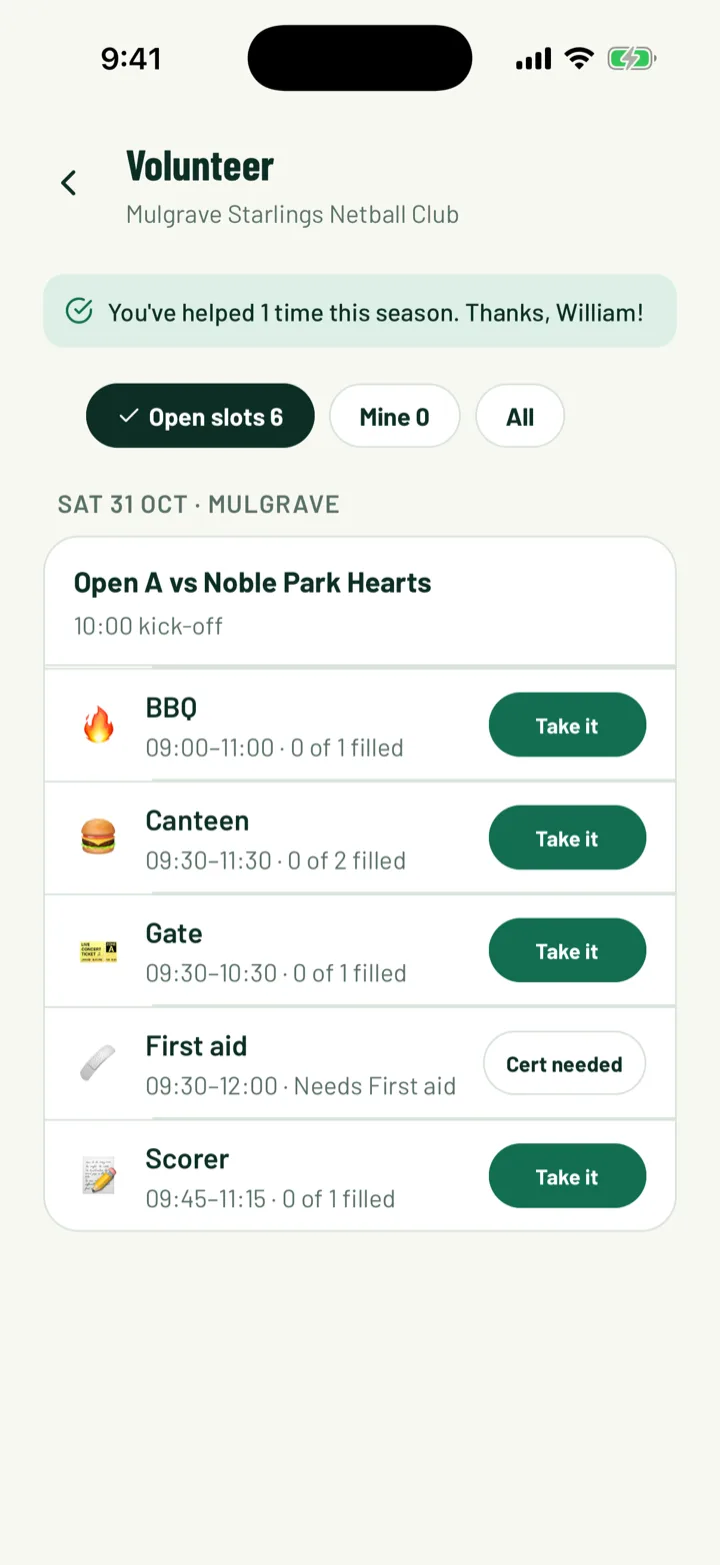
- Volunteer on the Club tab, with Open slots, Mine and All
- The Help this week card on Home, with Take a slot
- Volunteers needed on the game page
They tap Take it, check the time and place, and tap Sign me up. If another adult shares their account, Who's helping? lets them pick who's going.
On the web, members open My Sportdify and the Volunteer tab, then click Take it. With more than one adult on the account, they choose who under Sign up first.
- Full means the slot is taken. Cert needed means the role needs a check they don't have.
- To drop out, tap or click Leave. Less than 24 hours before, they need to contact the club instead.
- Everyone on a slot gets a reminder the day before.
App: Club › Volunteer · Web: My Sportdify › Volunteer
7Thank your volunteers
Sportdify counts each person's shifts and hours for the season.
- In the app, open Roles and templates and scroll to This season.
- On the web, open the This season tab.
The top volunteer is suggested for Volunteer of the year. In the app, the suggestion shows in Club awards, with a button to give the award.
App: Volunteers › Roles and templates · Web: Volunteers › This season
8Keep your staff list
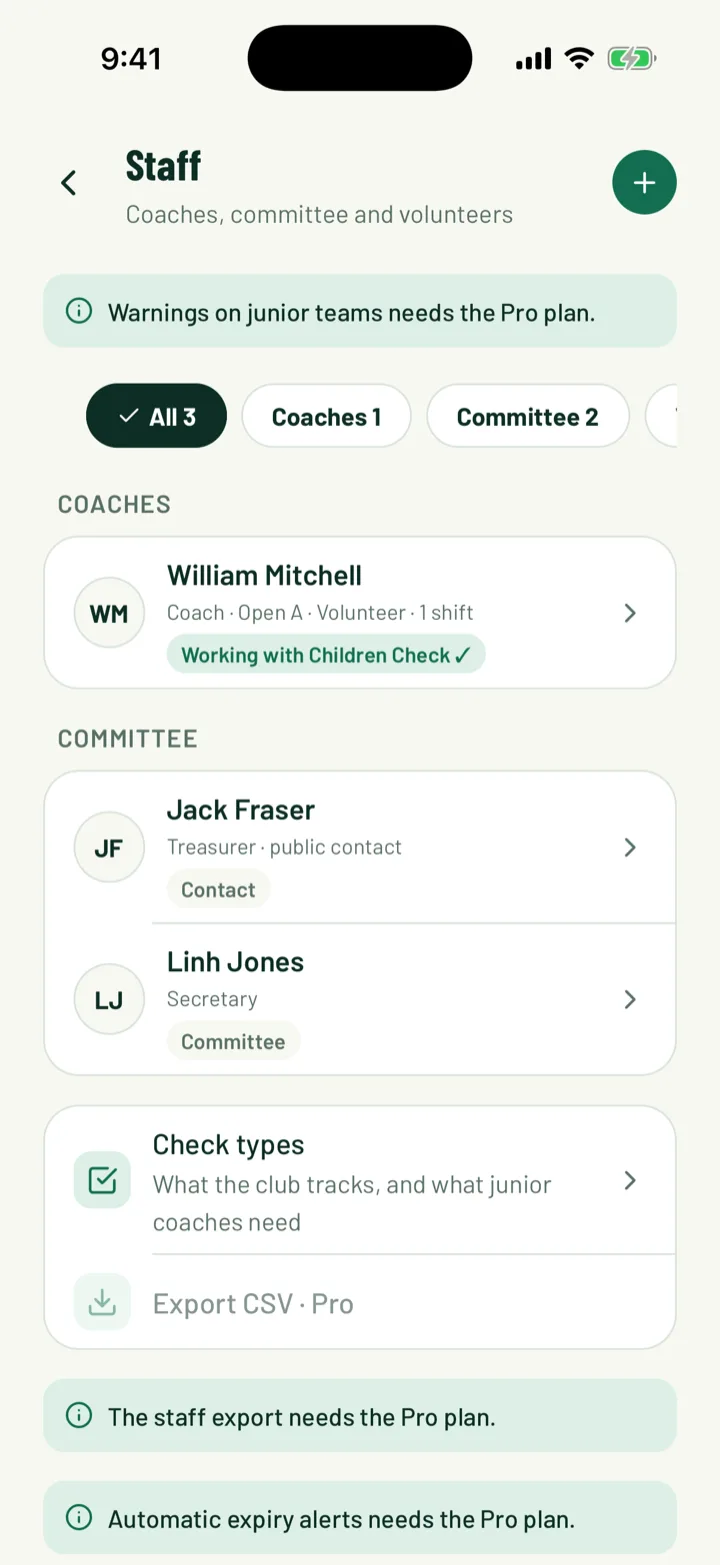
Staff and checks lists everyone who helps run the club. Coaches and team managers appear once they're on a team. Volunteers appear once they've done a shift.
- Filter by All, Coaches, Committee, Volunteers or Needs action.
- Tap + in the app, or click Add committee role on the web, for roles like President, Secretary or Treasurer.
- Turn on Show on the club page to list them under Contact the club, with an optional public email and phone.
- Open someone to see their roles and their checks and certificates.
Junior teams warn you when a coach has no valid child safety check. Check types sets which checks your club tracks. See Waivers and safety checks for more.
App: Club › Staff and checks · Web: Staff and checks
Still stuck?
Ask us