Help › Sponsors and shop
Sponsors and packages
Set up sponsor packages, add the businesses that back your club, invoice them and see where their logos appear.
Watch it first
A short recording from the app, with the waiting cut out. The steps below go through it slowly.
Keep every sponsor deal in one place: what each package includes, what you've delivered, invoices and renewals. Their logos go live on their own while the deal is active.
1Open Sponsors
In the app, open the Club tab and tap Sponsors under Money. On the web, click Sponsors in the sidebar.
Owners, admins and anyone with the Sponsorship manager club role can see it. Give the role on the web under Settings › Members › Club roles.
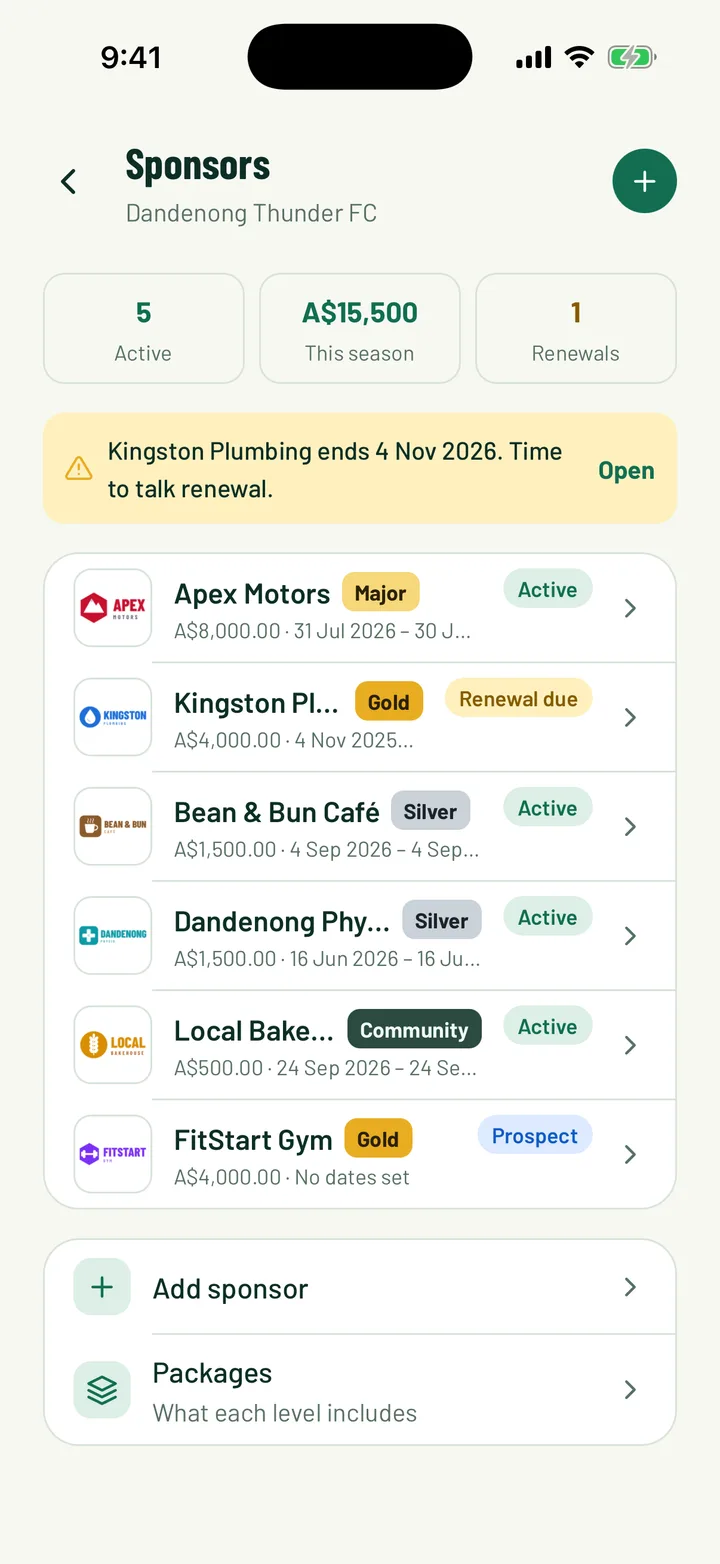
The top of the page shows three counts:
- Active: sponsors whose logos are showing now
- This season: what this season's deals are worth
- Renewals: deals that end in the next 30 days
App: Club › Sponsors · Web: Sponsors
2Set up your packages
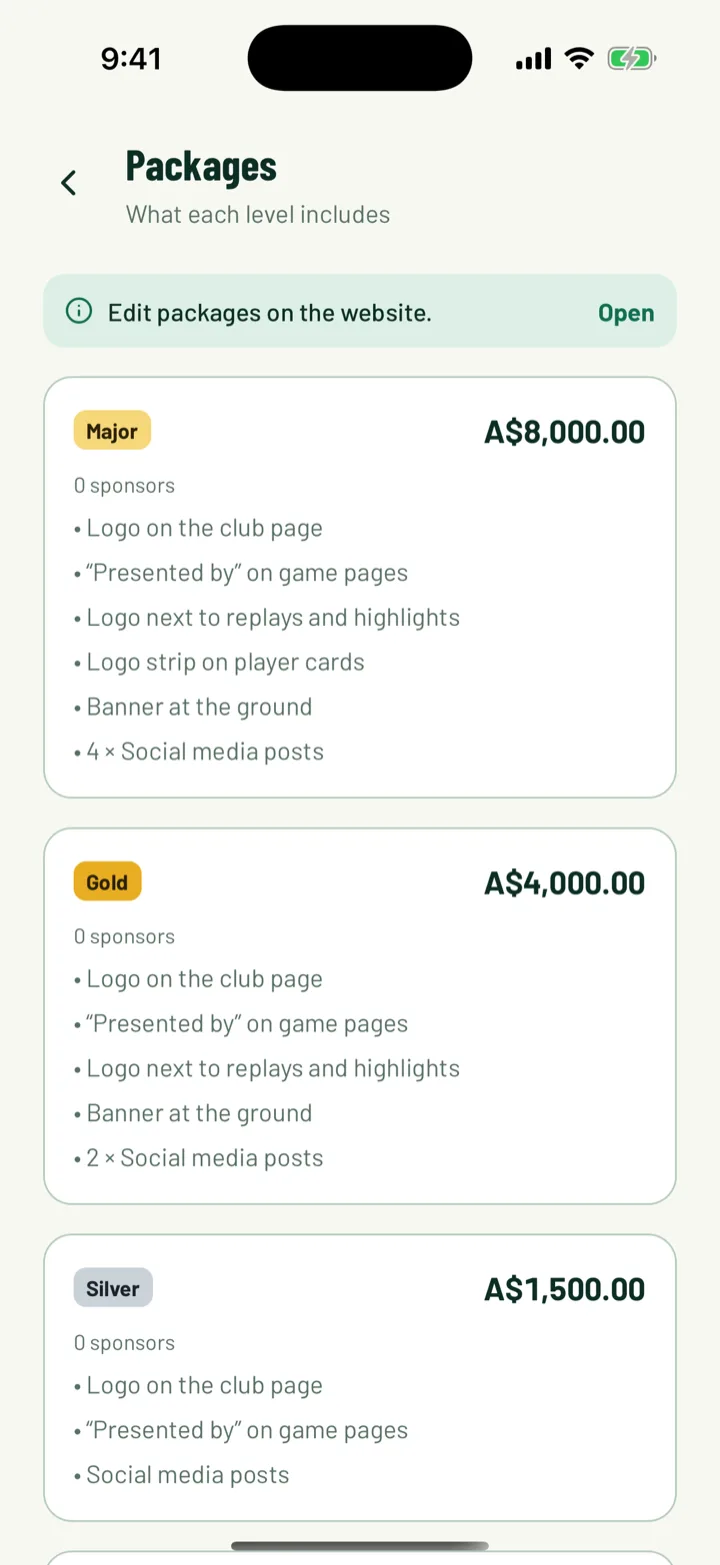
A package is a sponsorship level, with a price and what the sponsor gets. Your club starts with Major, Gold, Silver and Community, ready to use or change.
Packages are edited on the web. The app shows them, with Edit packages on the website.
On the web, click Packages, then Add package, or the pencil on an existing one.
- Enter a Name and Price.
- Under Logo placements, tick where the logo shows: Logo on the club page, “Presented by” on game pages, Logo next to replays and highlights and Logo strip on player cards.
- Under Deliverables, add the things the club does by hand, like a banner at the ground. Click Add deliverable for each one. The quantity is optional, for example 4 social media posts.
- Turn off Offered to new sponsors to retire a package. Sponsors already on it keep it.
Click Save package. Use the arrows to put your packages in order. The top package gets the biggest logos on the club page.
App: Club › Sponsors › Packages · Web: Sponsors › Packages
3Add your invoice details
Before you send your first invoice, fill in the Invoice details card on the Sponsor packages page. It's printed on every sponsor invoice.
- Club ABN or tax ID and Club address
- GST included (%). The tax name follows your club's currency. Enter 0 if the club doesn't charge tax.
- Bank transfer details, for sponsors who'd rather pay by transfer
Click Save invoice details. This is only on the web.
Web: Sponsors › Packages › Invoice details
4Add a sponsor
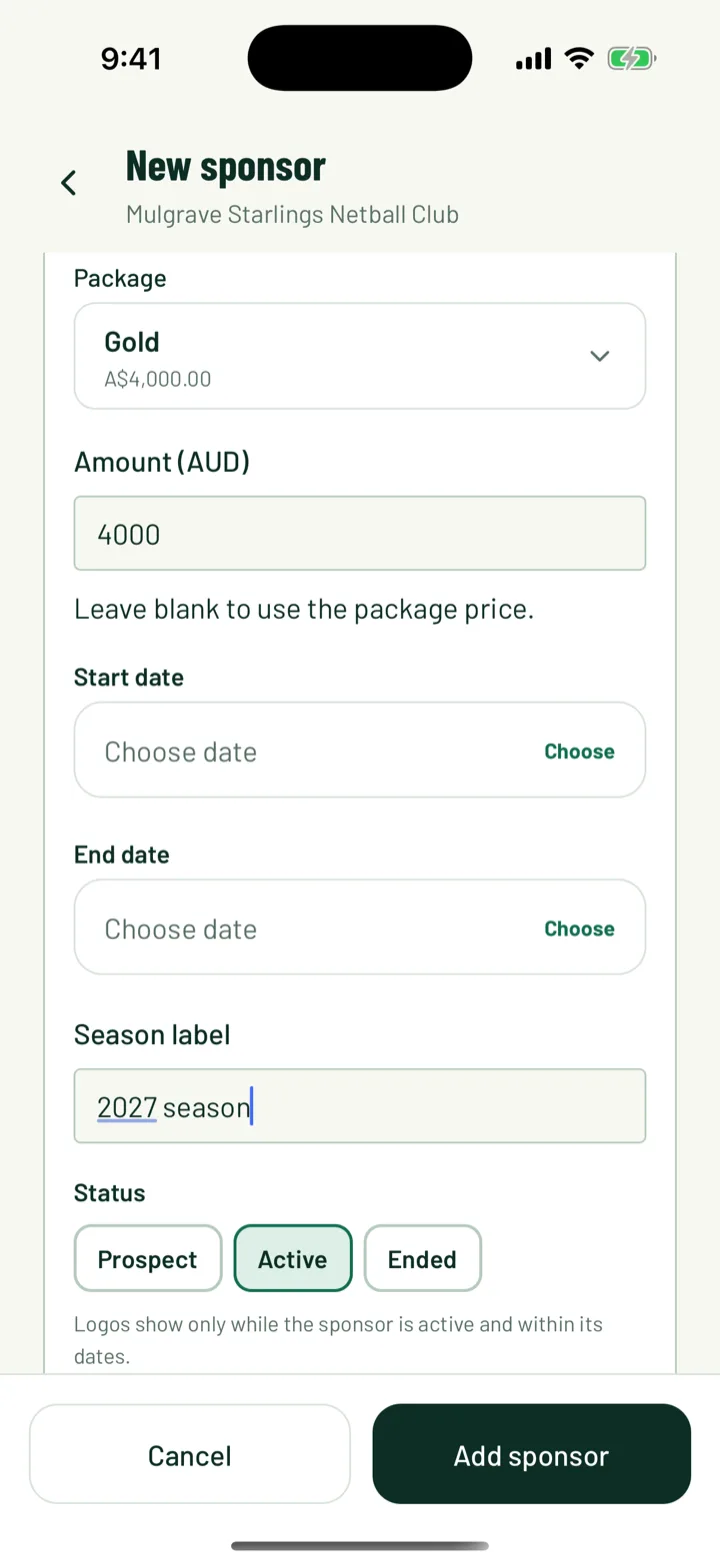
Tap Add sponsor or + in the app, or click Add sponsor on the web.
- Enter the Business name and Website, and tap Upload logo.
- Under Contact and billing, add a contact name, email and phone, the sponsor's ABN or business number (ABN or tax ID on the web) and Billing address. The email is where invoices go.
- Under The deal, pick a Package. Its price fills in the amount. Change the amount if this deal differs.
- Set the Start date and End date, or a Season label such as 2027 season. The web calls the dates Starts and Ends, and the label Season.
- Set the Status to Prospect, Active or Ended.
- Notes are only seen by club admins.
Save with Add sponsor.
Logos only show while the sponsor is Active and today is inside its dates. A sponsor with a start date in the future shows as Starts later.
App: Club › Sponsors › Add sponsor · Web: Sponsors › Add sponsor
5Tick off what they get
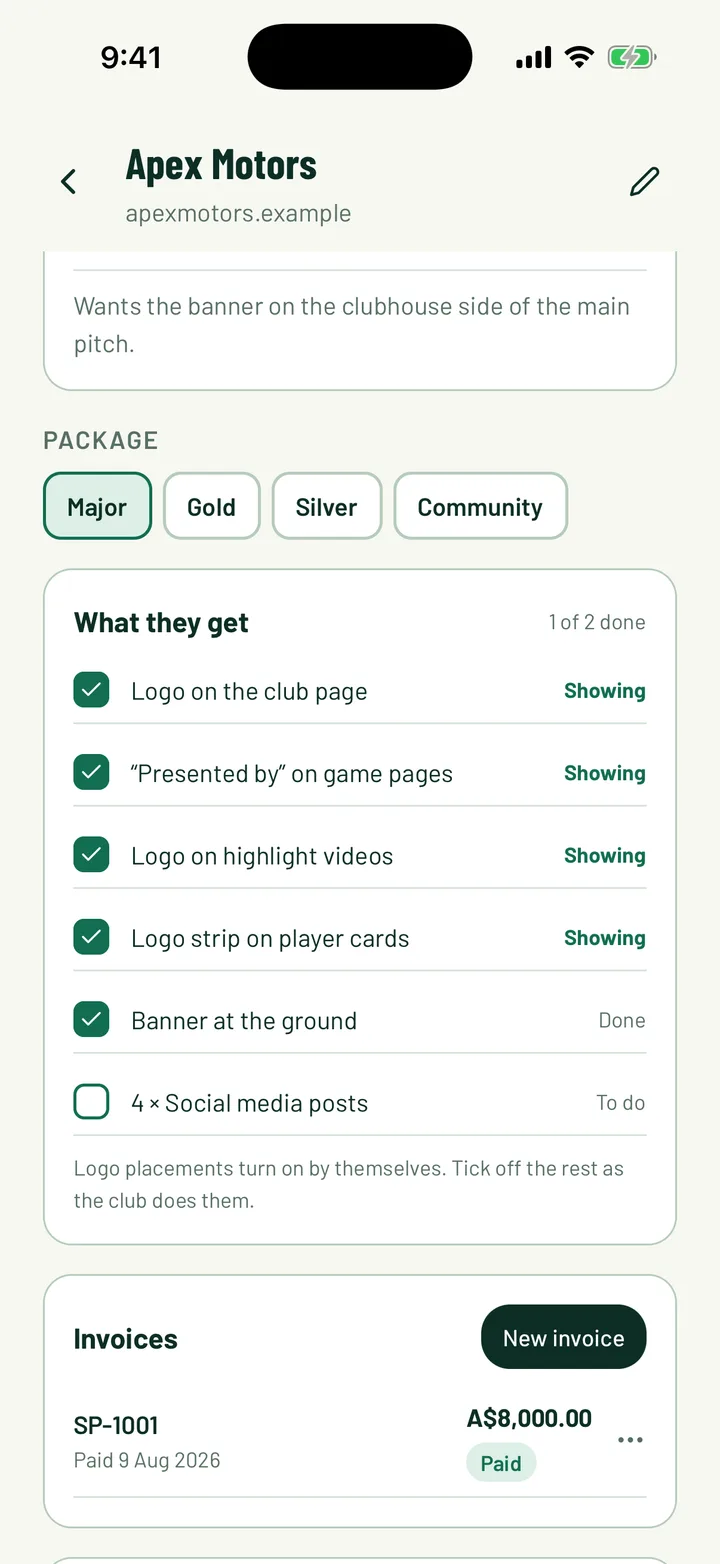
Open a sponsor to see What they get. It's a checklist built from their package.
- Logo placements tick themselves. Each one says Showing, or Off while the sponsor isn't live.
- Deliverables are for you to tick as the club does them. In the app, tap one to switch it between To do and Done. On the web, tick the box. You can also add a date and a note.
To move a sponsor to another package in the app, tap the package under Package. You'll be asked Change to the new package. If the prices differ, choose whether to keep the current amount or use the new price. Ticked items with the same name stay ticked.
On the web, click Edit and pick a new Package.
App: Club › Sponsors › sponsor · Web: Sponsors › sponsor
6Invoice the sponsor
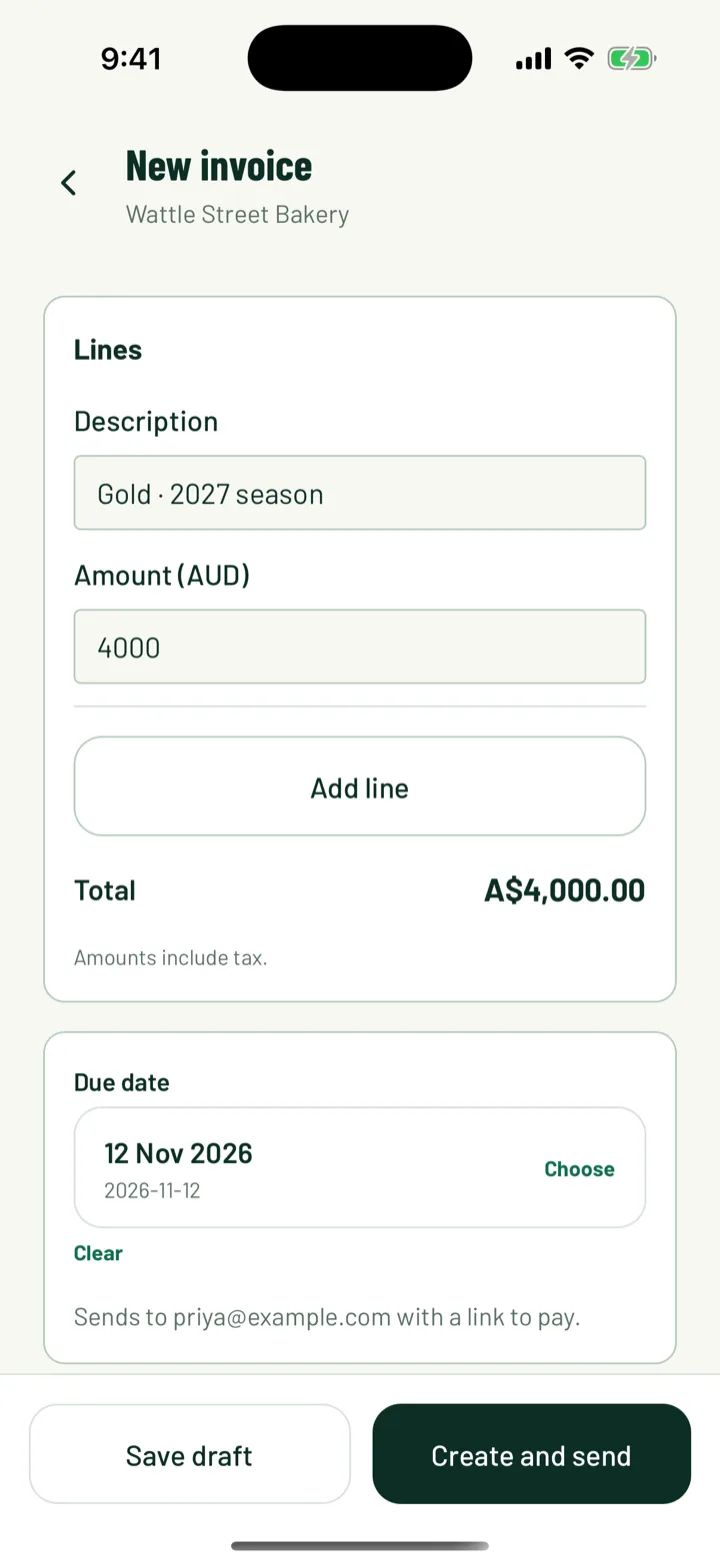
Tap or click New invoice on the sponsor's page. The first line is filled in from their package.
In the app:
- Each line has a Description and Amount. Tap Add line for extras.
- Amounts include tax. Set the Due date.
- Tap Create and send to email it now, or Save draft. You need a contact email to send. To send a draft later, tap … next to it and choose Send to sponsor.
On the web:
- Fill in the lines and click Add an extra for more.
- Check the tax percentage, then set Due and an optional Note on the invoice.
- Click Create invoice. Then open the … menu on the invoice and choose Send to sponsor.
The sponsor gets an email with a link to the invoice. They can Pay by card if your club takes card payments, or see your bank details under Pay by bank transfer. Card payments are marked paid automatically, and sponsor managers get a notification.
When a bank transfer arrives, mark the invoice paid. In the app, tap … next to the invoice and choose Bank transfer, Cash or Other under Mark paid. On the web, choose Mark paid from the invoice's … menu. Use Void invoice in the app, or Void on the web, to cancel one. It stays in the list for your records.
App: sponsor › Invoices › New invoice · Web: sponsor › Invoices › New invoice
7Share a season report
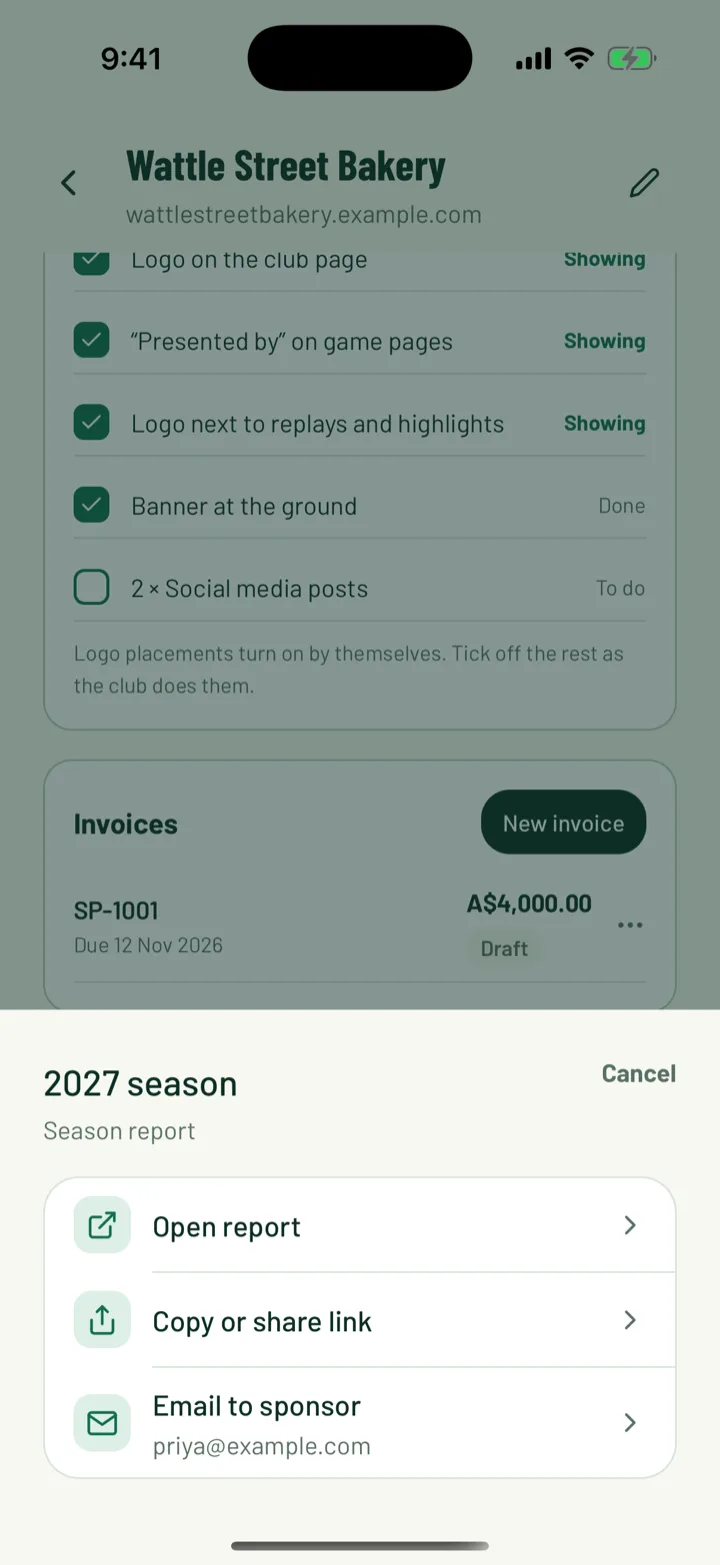
The Season report is a page for the sponsor. It shows their logo views, the checklist and what they paid. Anyone with the link can see it.
- In the app, tap Create report link. Tap … next to the report for Open report, Copy or share link and Email to sponsor.
- On the web, click Create link. Each report has Open, Copy and Email. Delete a link with the bin button when it should stop working.
App: sponsor › Season report · Web: sponsor › Season report
8See where sponsors appear
While a sponsor is live, its logo shows in each place its package includes:
- Our sponsors on your public club page, grouped by package
- Presented by on your game pages and tournament pages
- Sponsored by next to replays and highlights in the app
- A small strip on your members' player cards
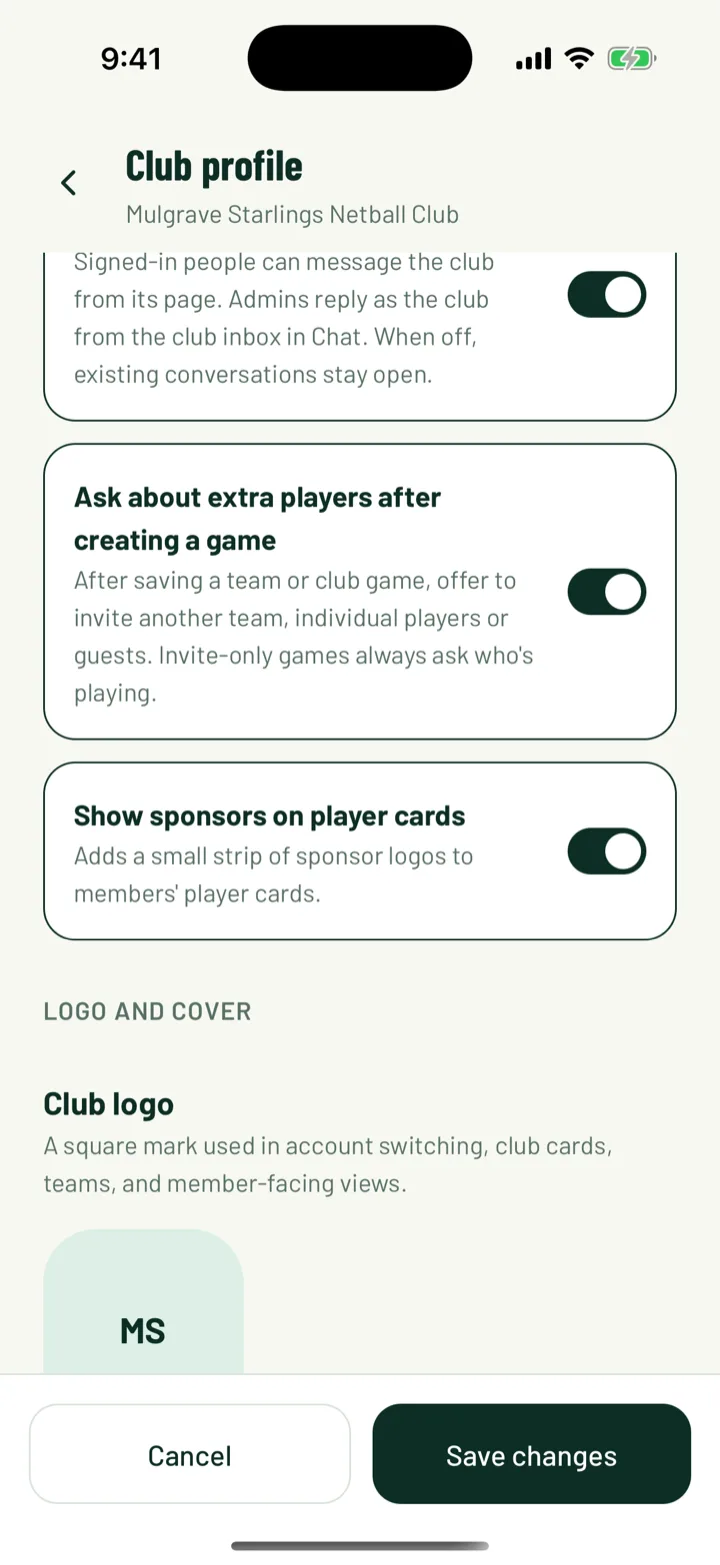
Player cards also need the club switch Show sponsors on player cards. In the app it's in Club profile, on the Club tab. On the web, go to Settings › General and find the Sponsors card.
Still stuck?
Ask us